
We had a basic understanding of what docker is and how to deploy simple applications to complex applications using docker in previous blog. If you did not have a look on that start with below blogs so you have better understanding.
- https://developershome.blog/2023/01/23/what-is-docker/
- https://developershome.blog/2023/01/24/create-first-docker-container-app/
Here, we will discuss about docker compose and how to deploy application using docker compose.
What is docker compose and where to use docker compose instead of docker?
We have deployed a simple python web server using docker. Now in which scenario we should use docker compose. If you see the logo of the docker compose, you see that it is actually combination of docker container/images.
For example, we have web application, which runs on
- NodeJS Web Server
- PostgreSQL as Database
- ReactJS as Front-end UI
We can technically create three docker containers and deploy them. But docker compose provides functionality where you can combine multiple docker containers in one and on start of docker-compose it will start all the server. (We can also provide sequence, like first start database and then API engine and then UI application)
There are few advantages of using docker-compose
- We can bundle all of these containers in a one, so instead of maintaining all three, easy to maintain one
- We can start or stop all together or separately
- Main advantage is restricting IP/Port, and no need to open un-necessary IP/Port out of container network. For example, we have PostgreSQL, which we don’t want anyone to access out of container but only API engine. So, when we have docker compose, internally for them all the IP and Ports are open. So, it is easy to maintain firewall also.
If we use Docker, our design will be as below
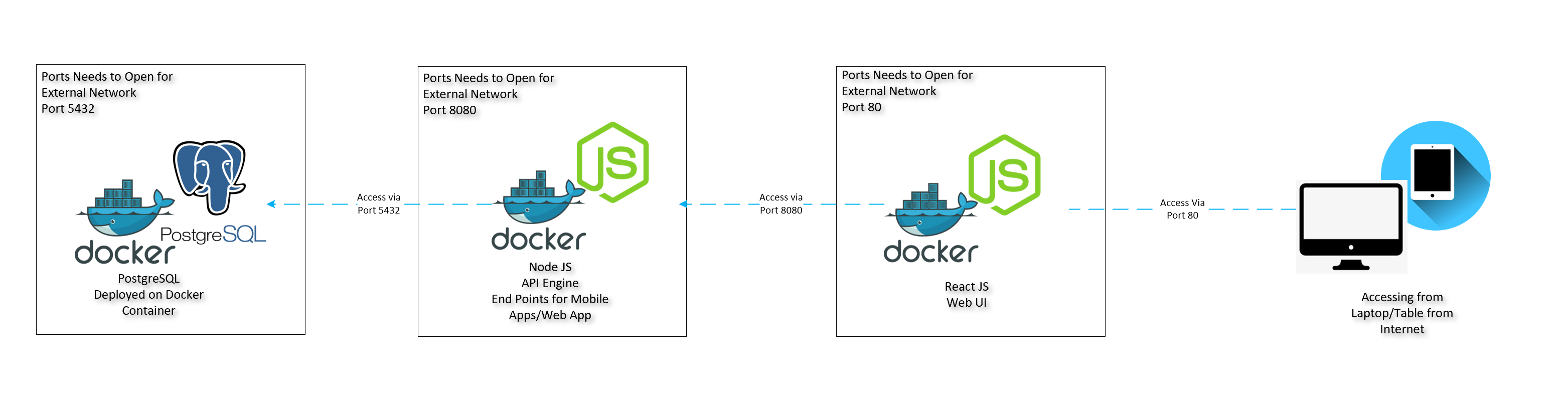
- Here, we see that all are separate docker container
- All is having own network, hardware and OS
- But all needs to open Port to access it from out of container
- For example PostgreSQL needs to open 5432 so that API engine can access it and same way API engine needs to open port 8080 so UI engine can access it.
- We normally don’t want to expose PostgreSQL out of container, that way we can add more security to database.
New Design using Docker-Compose as below
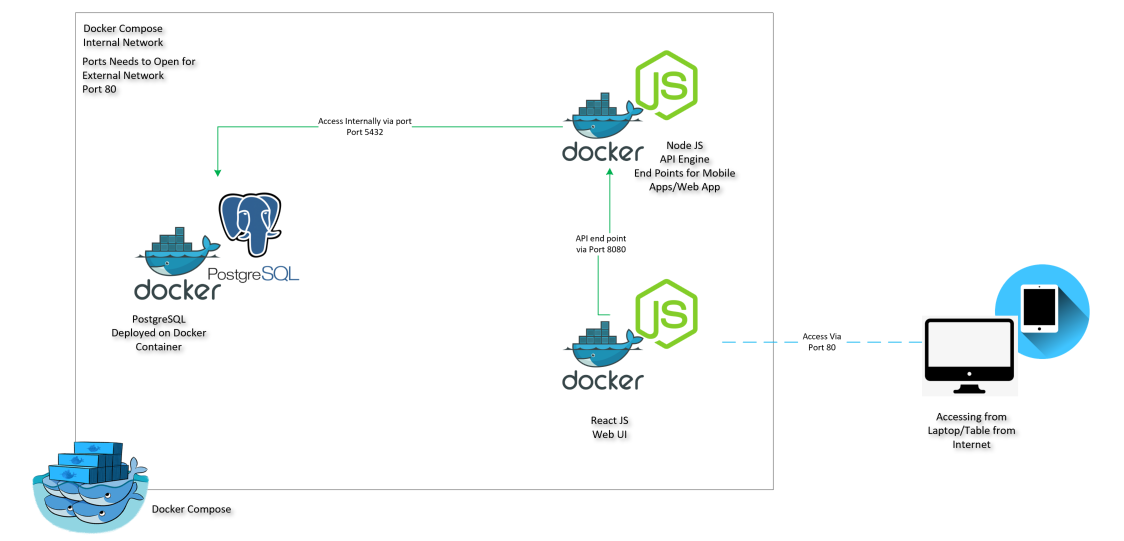
- Here, we have all the three different containers but at the end bundled with docker compose
- They all can access each other ports
- So, we only make port 80 to expose from outside.
In the next step, we will deploy our application using docker-compose.
Deploy application using docker-compose
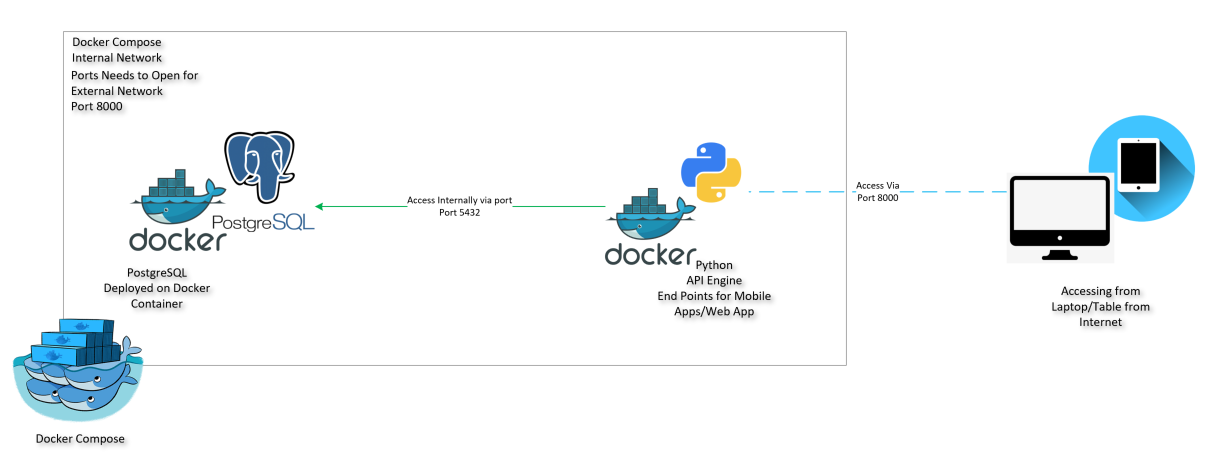
We will use the old python webserver and add a few more APIs, which will get data from PostgreSQL.
Our design will be as below
Our folder structure will be like this
GitHub code Repo: https://github.com/shahkalpan/DockerCompose
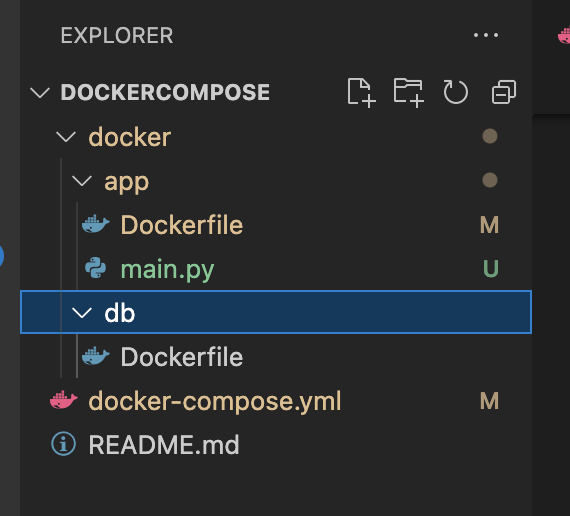
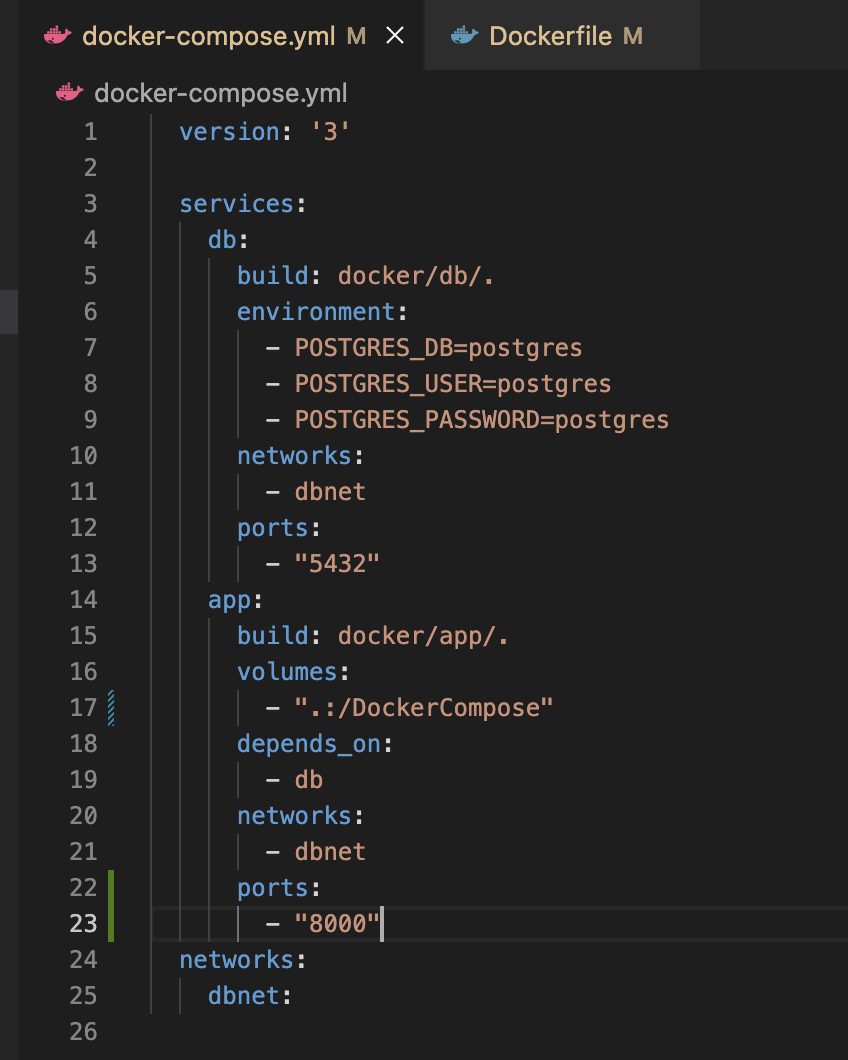
We have two containers as per our design, one is database for which separate docker file and for app engine we haves separate docker file. We have combined both in docker-compose file and that will work as service.
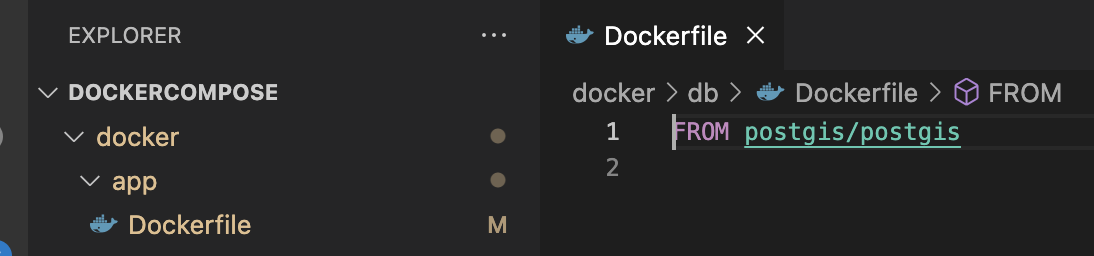
In Database docker file, we will ask to download PostgreSQL from DockerHub.
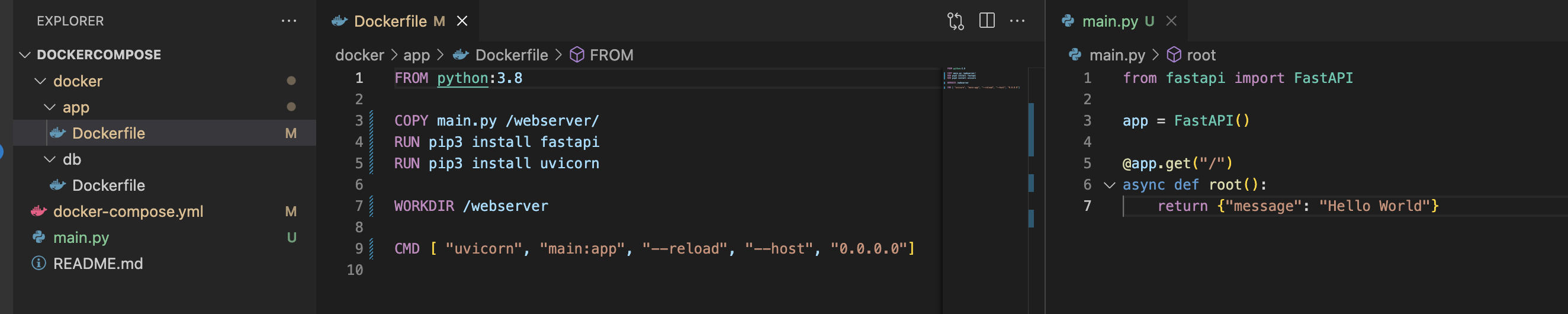
Same way in App dockerfile, we will ask to install python and also copy python code on container. (Same as our earlier, app server)
Now, if we go terminal and use the command below it will identify docker-compose file and services in it. But we have not started services yet so it will not show.
docker-compose ps
Now, we will start services, as of now we have not any connection between App and Database server but for now, we are just starting both services. After that we will add one more API that will connect to the database.
docker-compose up --build --force-recreate --no-deps -d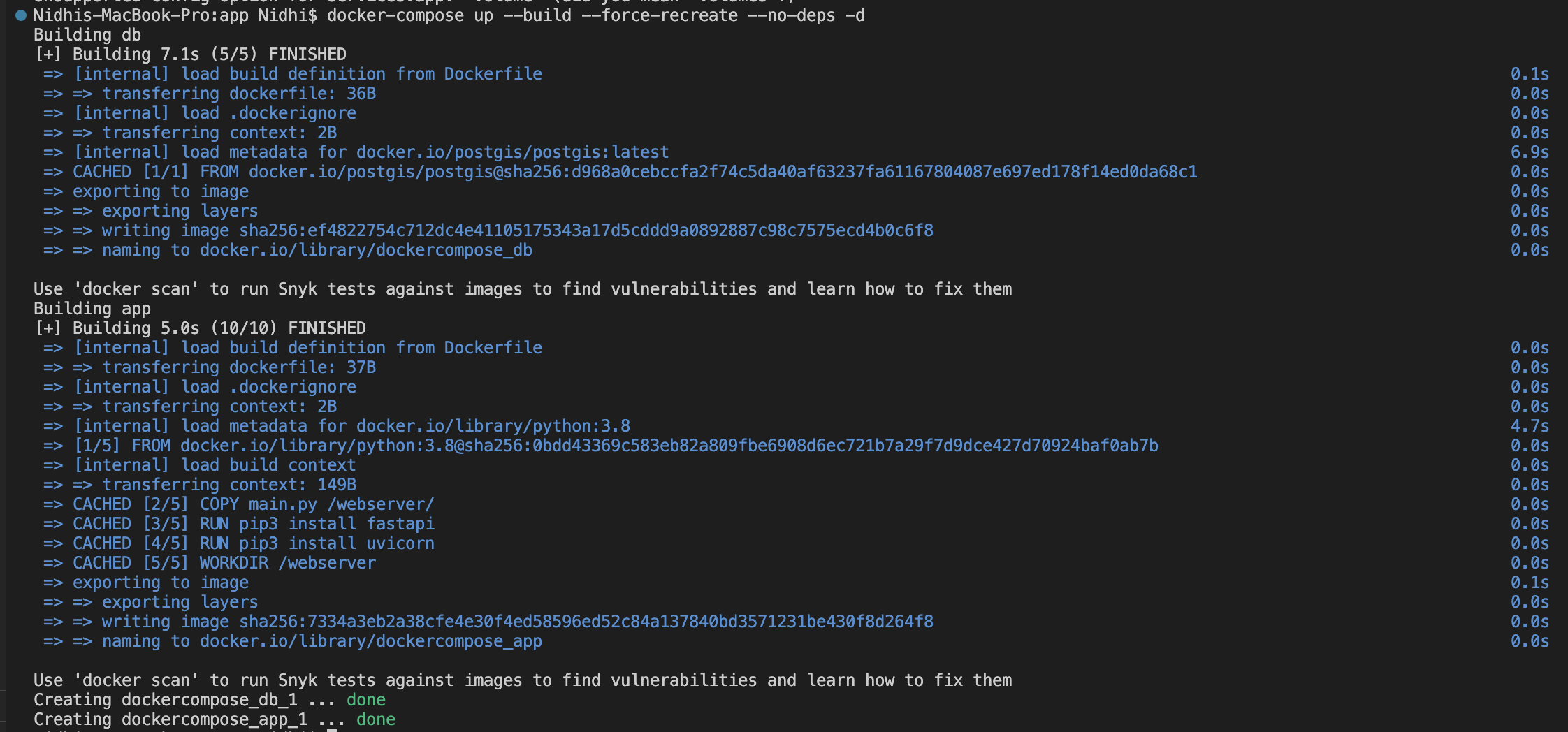
Now, if we do docker-compose ps , it will list all the services

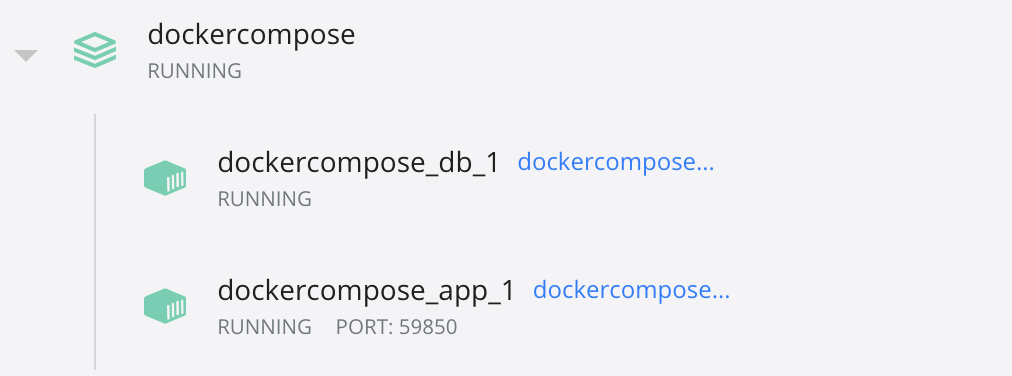
Now, we will add one more API end points which will connects to PostgreSQL
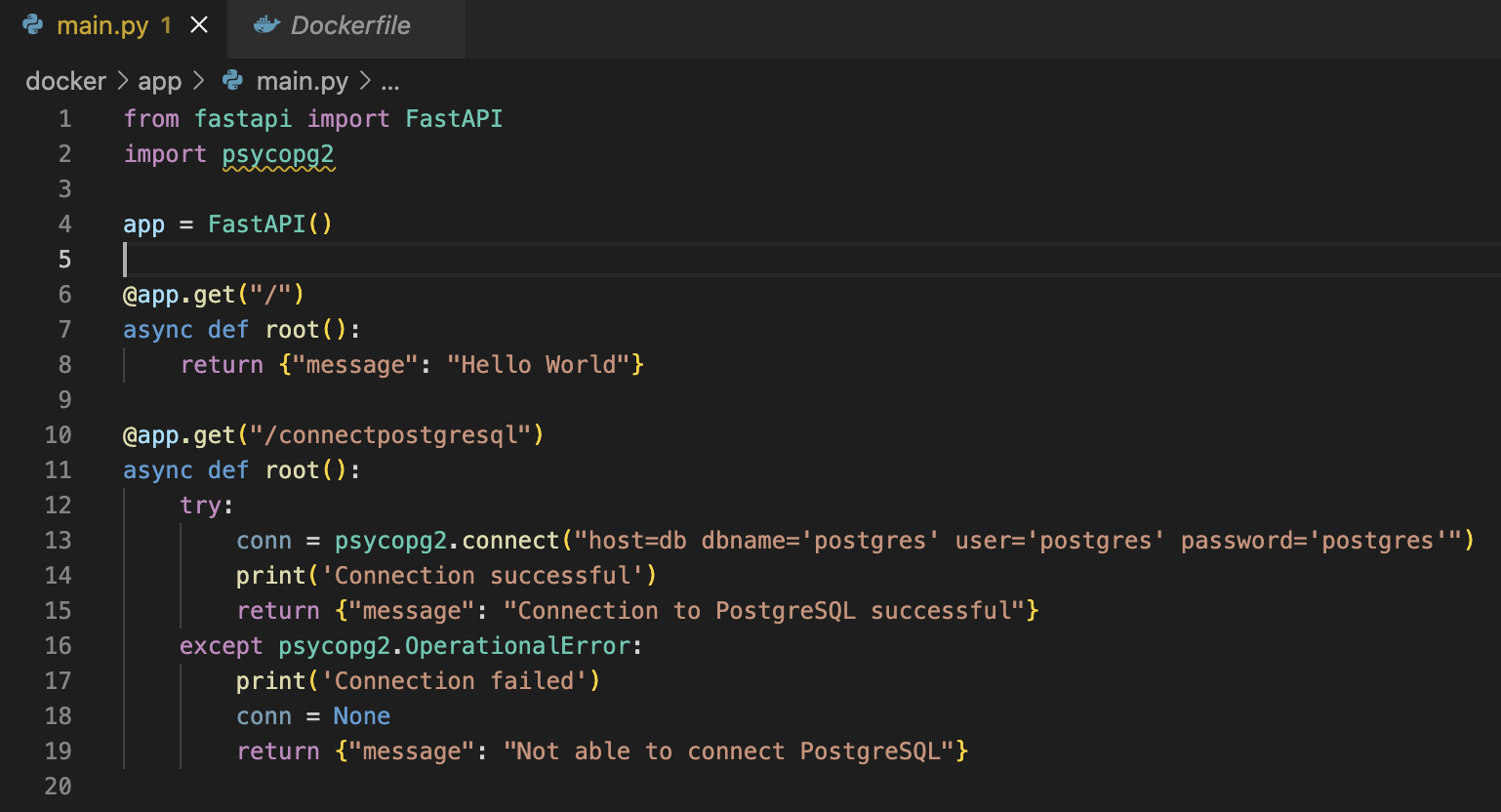
We have API endpoint “/connectpostgresql” which will connect to PostgreSQL Database.
After making changes, we will deploy the container again.
Once the containers are up, we will ping both endpoints and check both are working or not.

If we check logs of containers, we will also see all the messages.
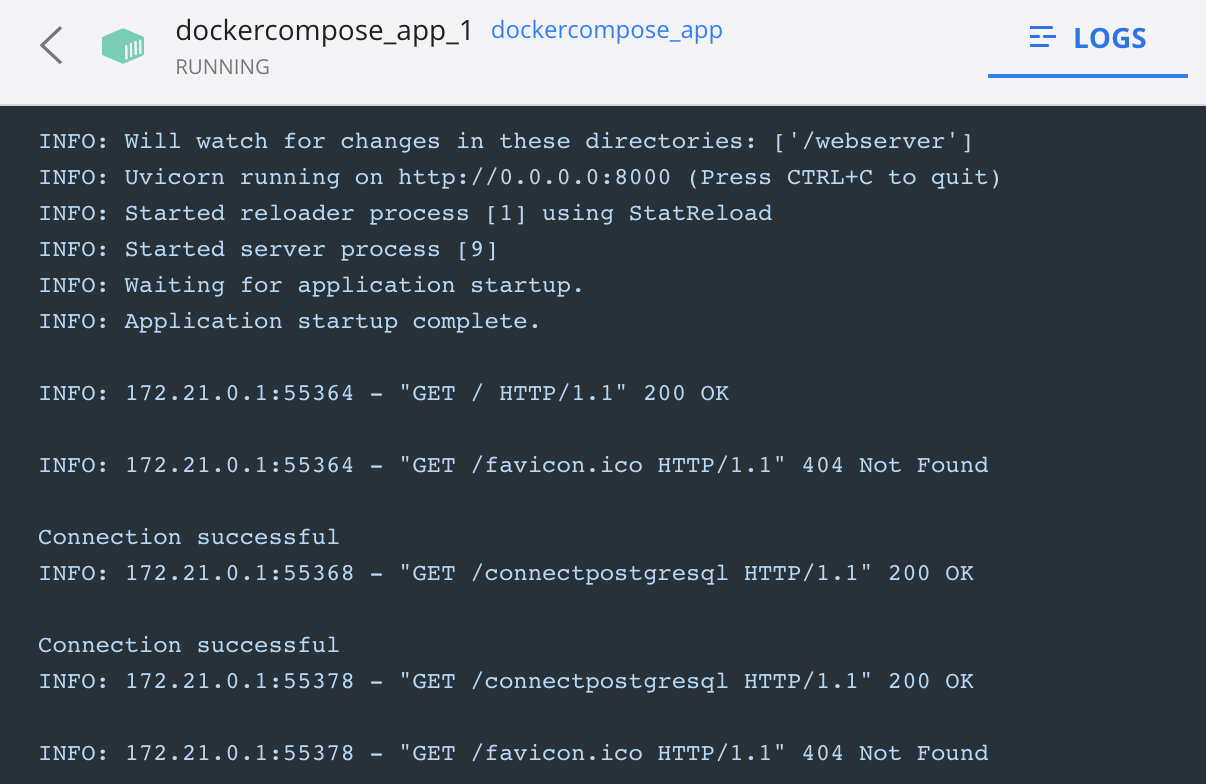
We have successfully deployed applications on docker-compose.
Most useful docker-compose commands
docker-compose build -> For building docker-compose
docker-compose up -> For starting docker services
docker-compose down -> For stopping docker-compose services
docker-compose logs -> For checking logs on docker-compose
For all the commands use below link
https://docs.docker.com/engine/reference/commandline/compose/
Also have a look on below video, which explain everything.
 Developers' HOME