Previous blog/Context:
In an earlier blog, we discussed Spark ETL with Lakehouse (with Apache Iceberg). Please find below blog post for more details.
Introduction:
Today, In this below, we will discuss below points
- Spark ETL with famous Lakehouse formats. (Delta Lake, Apache Iceberg, and Apache HUDI)
- Offerings from all these lake house data formats.
- Pros and Cons of all the lake house data formats.
- Comparison of all of these lake house data formats.
- Load data from the source system (we will be taking MySQL as our source system), Transform data and load it into all of these lake house data formats.
- Read data from all of these lake house formats.
- Compare all of these file formats in terms of how they are creating data and metadata.
- References and learning materials
Delta Lake, Apache iceberg, and Apache HUDI
Delta Lake, Apache Iceberg, and Apache Hudi are all open-source data management systems that provide features such as versioning, schema evolution, data partitioning, and indexing. However, some differences between them are worth noting:
- Delta Lake: Delta Lake is a storage layer that runs on top of existing data lakes, such as Hadoop or AWS S3, to provide ACID transactions, data versioning, and data lineage tracking. It also supports SQL queries and provides optimization for streaming workloads. Delta Lake is best suited for data engineering and analytics workloads.
- Apache Iceberg: Apache Iceberg is a table format that provides transactional and versioned data management on top of cloud object stores such as AWS S3, Azure Blob Storage, and Google Cloud Storage. Iceberg also supports schema evolution and provides a portable table metadata format that can be used across different programming languages and data processing engines. Iceberg is best suited for analytical workloads.
- Apache Hudi: Apache Hudi is a storage abstraction layer that enables data ingestion and query capability on large-scale, evolving datasets. Hudi supports read-and-write operations using various data sources and provides a simple programming model that allows developers to build incremental data pipelines. Hudi is well-suited for real-time streaming workloads and batch processing.
Overall, while all three systems provide similar functionalities, they differ in their architecture and focus. Delta Lake is a storage layer, Iceberg is a table format, and Hudi is a storage abstraction layer. Choosing the best option depends on the specific requirements of your use case.
Pros & Cons of Delta Lake, Apache Iceberg, and Apache HUDI
Delta Lake:
Pros:
- ACID transactions: Delta Lake provides support for ACID transactions, ensuring data consistency and reliability. This is particularly important for mission-critical applications and data engineering pipelines.
- Data versioning: Delta Lake tracks data changes over time, allowing you to query and analyze data at different points in time. This is useful for auditing, compliance, and debugging purposes.
- Data lineage tracking: Delta Lake tracks the full history of changes to data, including who made the changes and when. This helps with auditing and debugging data pipelines.
- SQL queries: Delta Lake supports SQL queries, allowing you to leverage your existing SQL skills and tools for data analysis.
- Streaming optimizations: Delta Lake provides optimization for streaming workloads, allowing you to process data in real-time and make decisions based on up-to-date data.
Cons:
- Limited data source connectors: Delta Lake has limited support for data source connectors compared to other data management systems. This may require additional work to integrate with different data sources.
- Additional storage space: Delta Lake requires additional storage space to store data versioning and transaction log files. This may increase storage costs and maintenance overheads.
Apache Iceberg:
Pros:
- Transactional and versioned data management: Iceberg provides support for transactions and versioning, ensuring data consistency and reliability. This is particularly important for analytical workloads where data accuracy is critical.
- Schema evolution: Iceberg supports schema evolution, allowing you to update table schemas without interrupting queries or requiring complex data migrations. This makes it easier to evolve your data pipelines over time.
- Portable table metadata format: Iceberg provides a portable table metadata format that can be used across different programming languages and data processing engines. This allows you to use the same table format across different systems and avoid vendor lock-in.
Cons:
- Slower than other table formats: Iceberg can be slower than other table formats due to additional metadata overhead. This may impact query performance and increase latency.
- Limited support for complex data types and indexes: Iceberg has limited support for complex data types and indexes, which may require additional work to support different data types.
Apache Hudi:
Pros:
- Simple programming model: Hudi provides a simple programming model that allows developers to build incremental data pipelines. This makes it easier to build and maintain data pipelines over time.
- Support for various data sources: Hudi supports read and write operations using various data sources, including cloud object stores, HDFS, and local file systems. This makes it easier to ingest and process data from different sources.
- Real-time streaming workloads: Hudi is well-suited for real-time streaming workloads, allowing you to process data in real time and make decisions based on up-to-date data.
Cons:
- Might require additional maintenance due to the need to manage distributed systems.
- Limited support for advanced indexing and query optimization.
Comparison between Delka Lake, Apache Iceberg, and Apache Hudi
| Data Management System | Delta Lake | Apache Iceberg | Apache Hudi |
|---|---|---|---|
| Storage Layer or Format | Storage layer | Table format | Storage abstraction layer |
| ACID Transactions | Yes | Yes | Yes |
| Data Versioning | Yes | Yes | Yes |
| Schema Evolution | Limited | Yes | Limited |
| Query Language | SQL | SQL | Spark SQL, HiveQL, and Presto |
| Streaming Optimization | Yes | Limited | Yes |
| Cloud Object Store Support | Yes | Yes | Yes |
| Portable Metadata Format | No | Yes | No |
| Real-time Streaming Workloads | Limited | No | Yes |
| Batch Processing | Yes | Yes | Yes |
| Data Source Connectors | Limited | Limited | Yes |
| Maintenance | Moderate | Moderate | Moderate |

Spark ETL with Lakehouse data formats
We will be doing the steps below.
- Read data from MySQL server into Spark
- Create a HIVE temp view from a data frame
- Load filtered data into Delta format (create initial table)
- Load filtered data into HUDI format (create initial table)
- Load filtered data into Iceberg format (create initial table)
- Read data from Delta | HUDI | Iceberg format
First, clone below the GitHub repo, where we have all the required sample files and solutions
https://github.com/developershomes/SparkETL/tree/main/Chapter10
If you don’t have a setup for Spark instance follow the earlier blog for setting up Data Engineering tools in your system. (Data Engineering suite will setup Spark, MySQL, PostgreSQL, and MongoDB in your system) In that Spark instance, we already have packages installed for Azure blog storage and Azure Data Lake Services. (Link: https://developershome.blog/2023/01/30/data-engineering-tool-suite/)
Spark ETL with Delta Lake
Here, we are taking the source as MySQL and the destination as delta lake. So with starting the spark session, we also need to load all the required libraries for MySQL and delta lake. With our existing spark setup, we already have delta lake packages installed so we only need to install MySQL packages.
- This is how we will start the spark application.

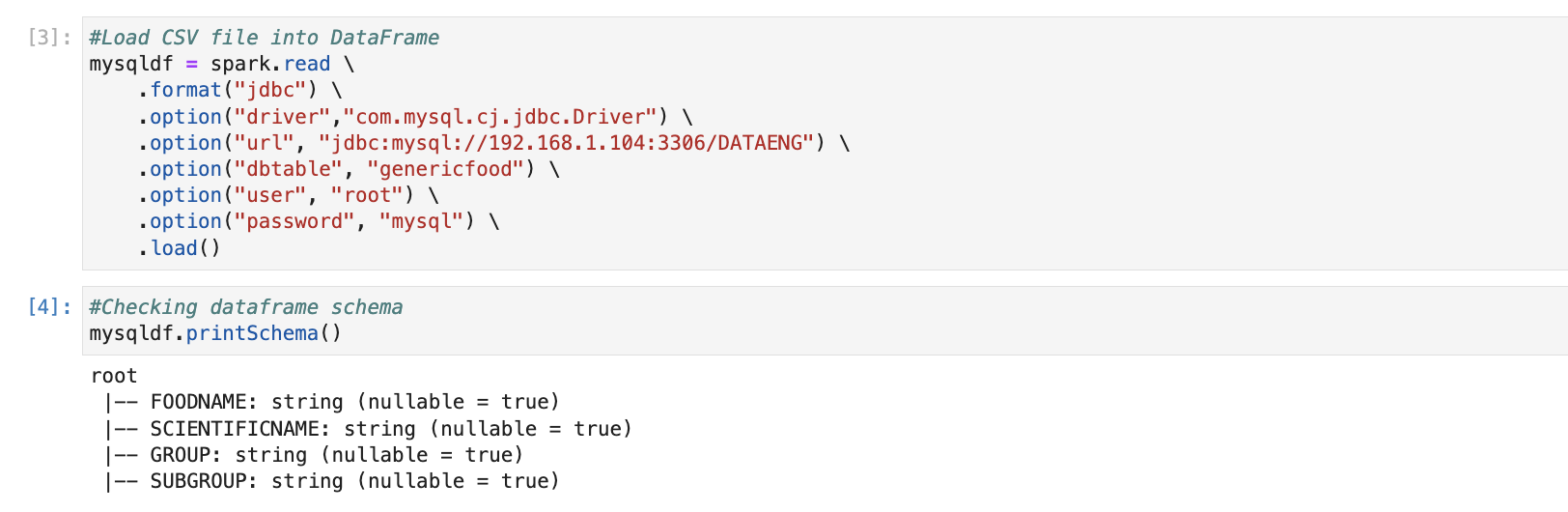
- Now, we will connect MySQL and load data from MySQL to the Spark data frame.
if you have not followed earlier blogs, you can import the below CSV file into MySQL using the import wizard. Also, give the name of the table as “genericfood”.
https://github.com/developershomes/SparkETL/blob/main/Chapter7/genericfood.csv
code to connect MySQL and load data from MySQL to Spark data frame.
- We will create a HIVE table from this data frame.
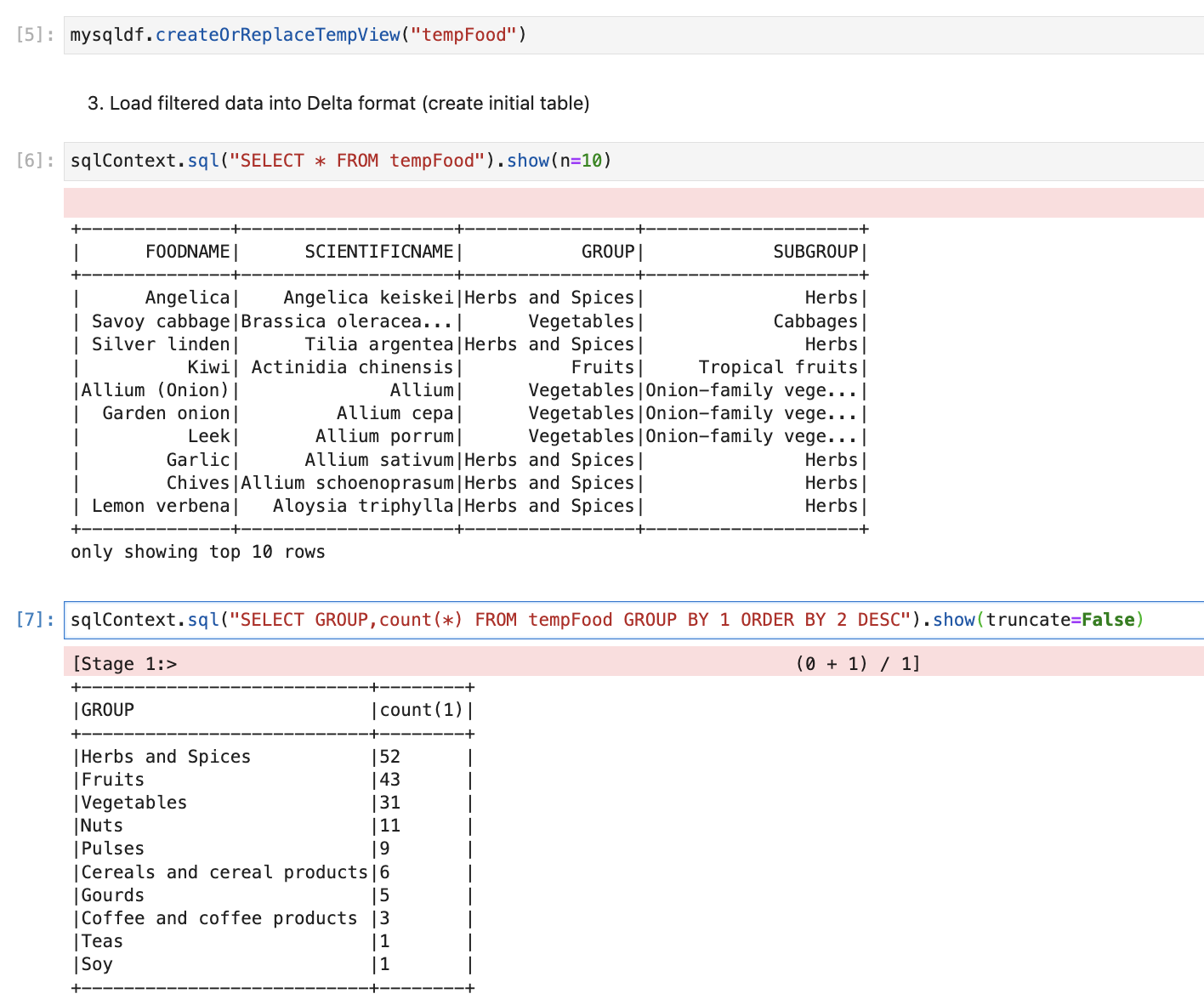
- We will create a new data frame and only store filtered data, which we will load into the lake house.

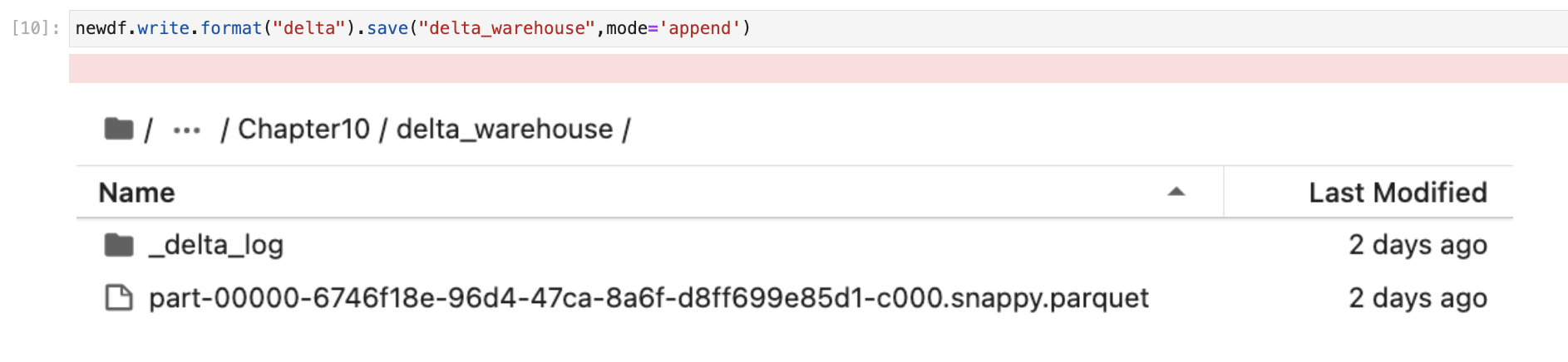
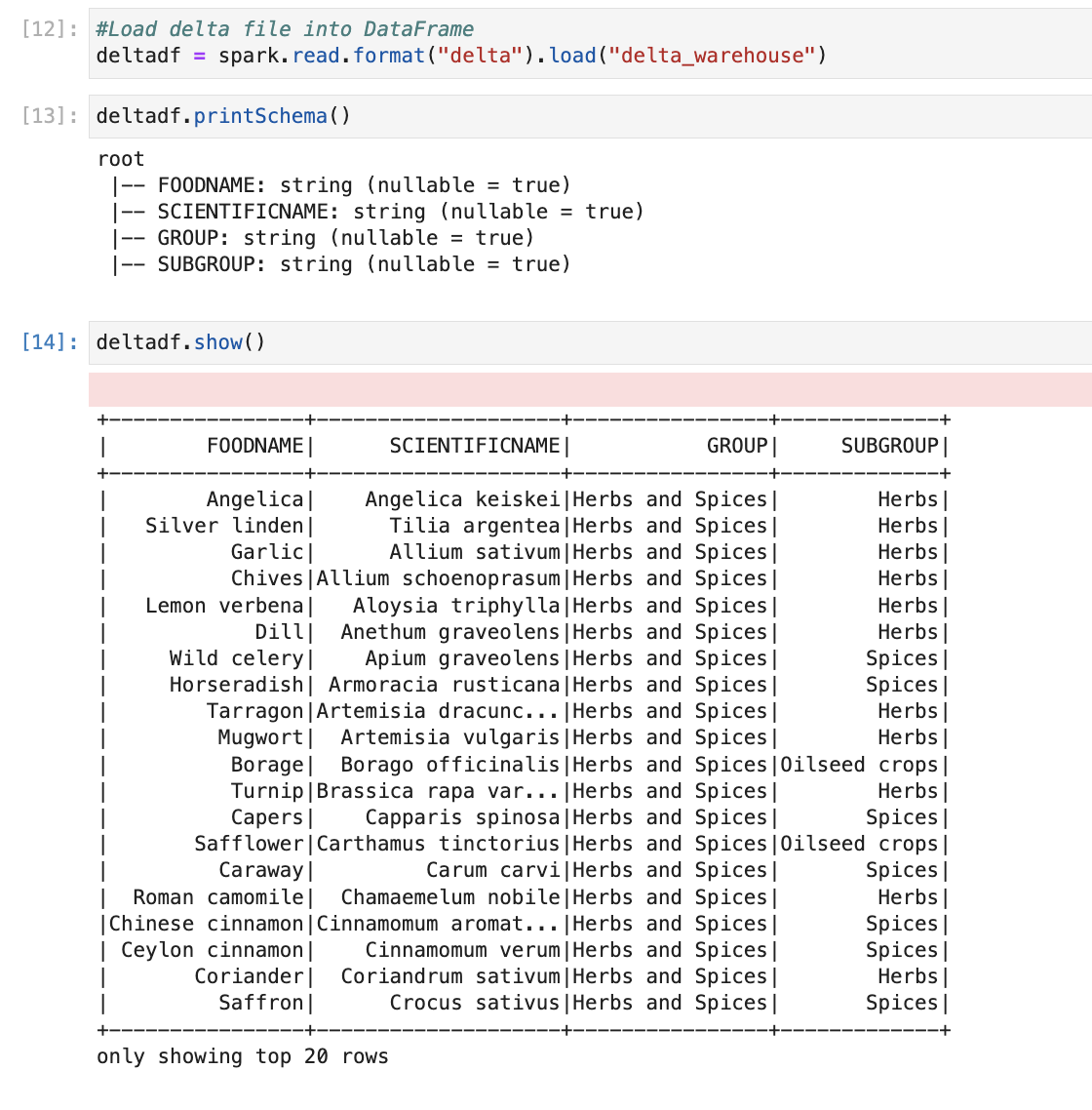
- Creating a delta table from a data frame.
- Reading delta table
Spark ETL with Apache Iceberg
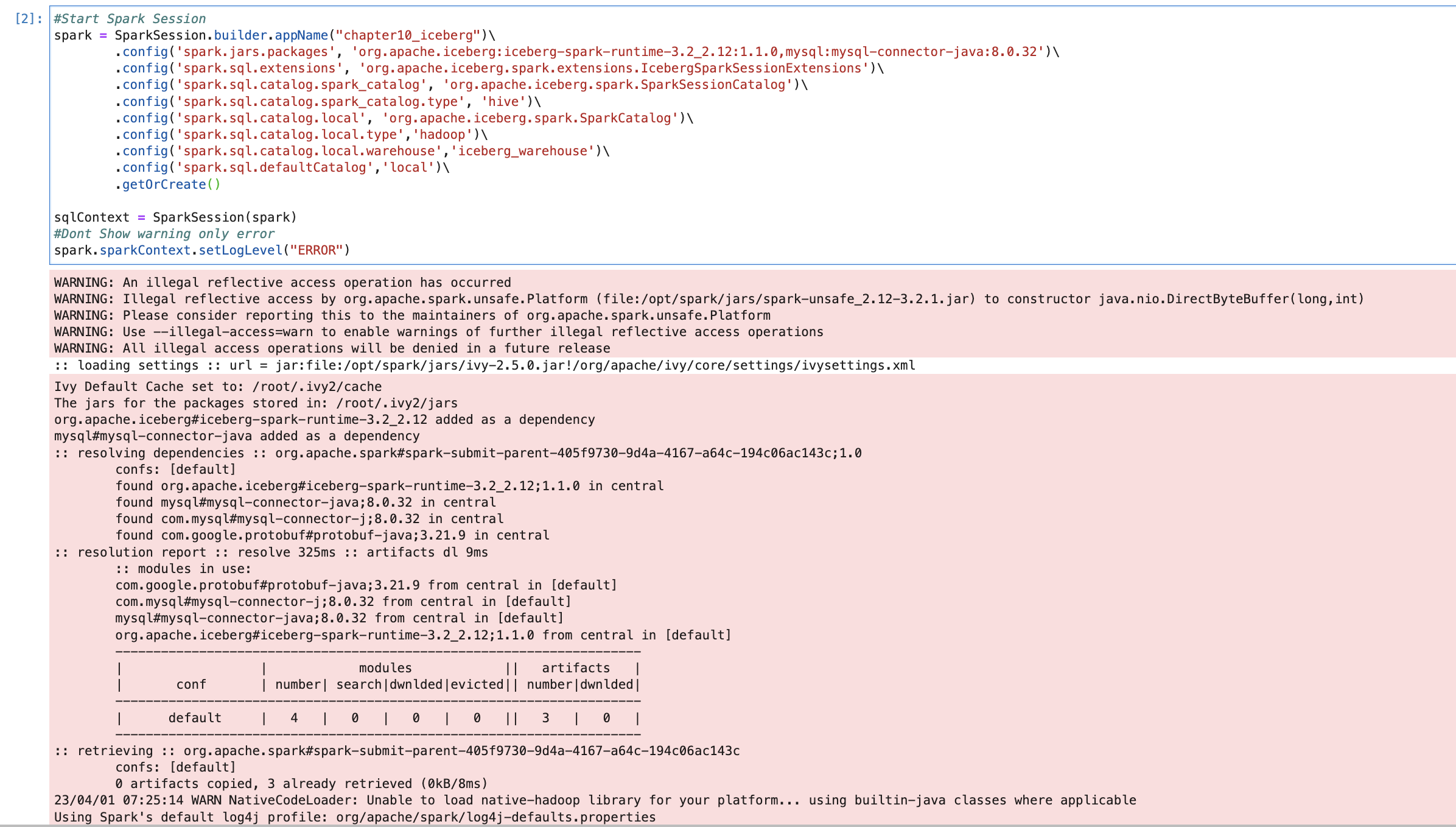
We will be taking a source as MySQL (Same source as earlier) and our destination will be Apache Iceberg. So with starting the Spark application we also need to pass all the required packages and configuration for Apache Iceberg and MySQL.
- Starting Apache Spark Session for MySQL and Apache Iceberg.
Our code will be as below. We are passing packages for both and we are also passing all the required configurations for Apache Iceberg.
The next step will be connecting the MySQL database and loading data from the MySQL database. We have already taken the same step in an earlier section. So, we will not do this again. (Please refer earlier section or use Jupiter notebook from GitHub to create a connection with MySQL and load data from the MySQL table to the Spark data frame)
Once data is loaded into the Spark data frame, the next step will be transformation and here for the transformation, we are filtering data with one specific food group. We have already taken this step in the earlier section and created a new data frame so we will not be doing the same step also.
Now, we have our data available in the data frame “newdf”. We will be using this data frame to create our Apache iceberg table.
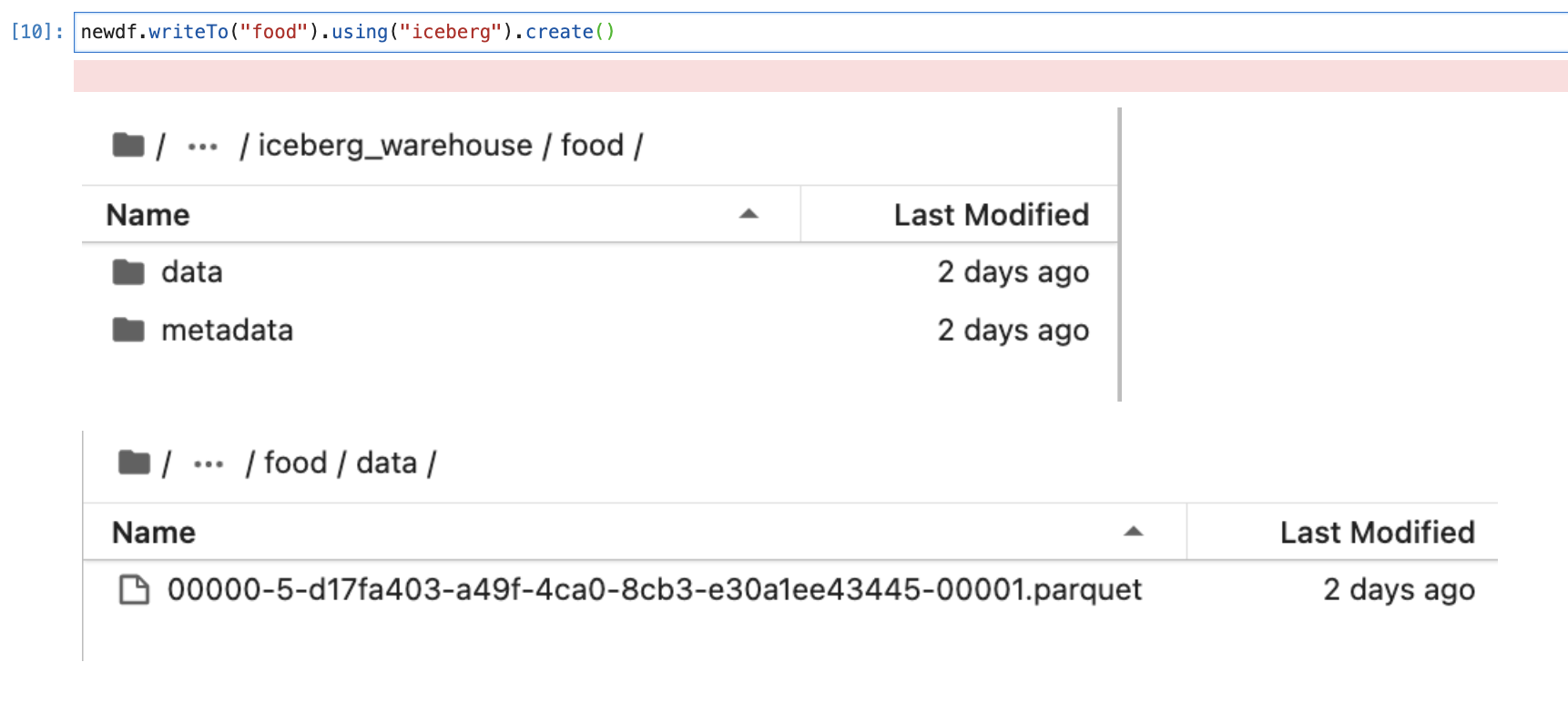
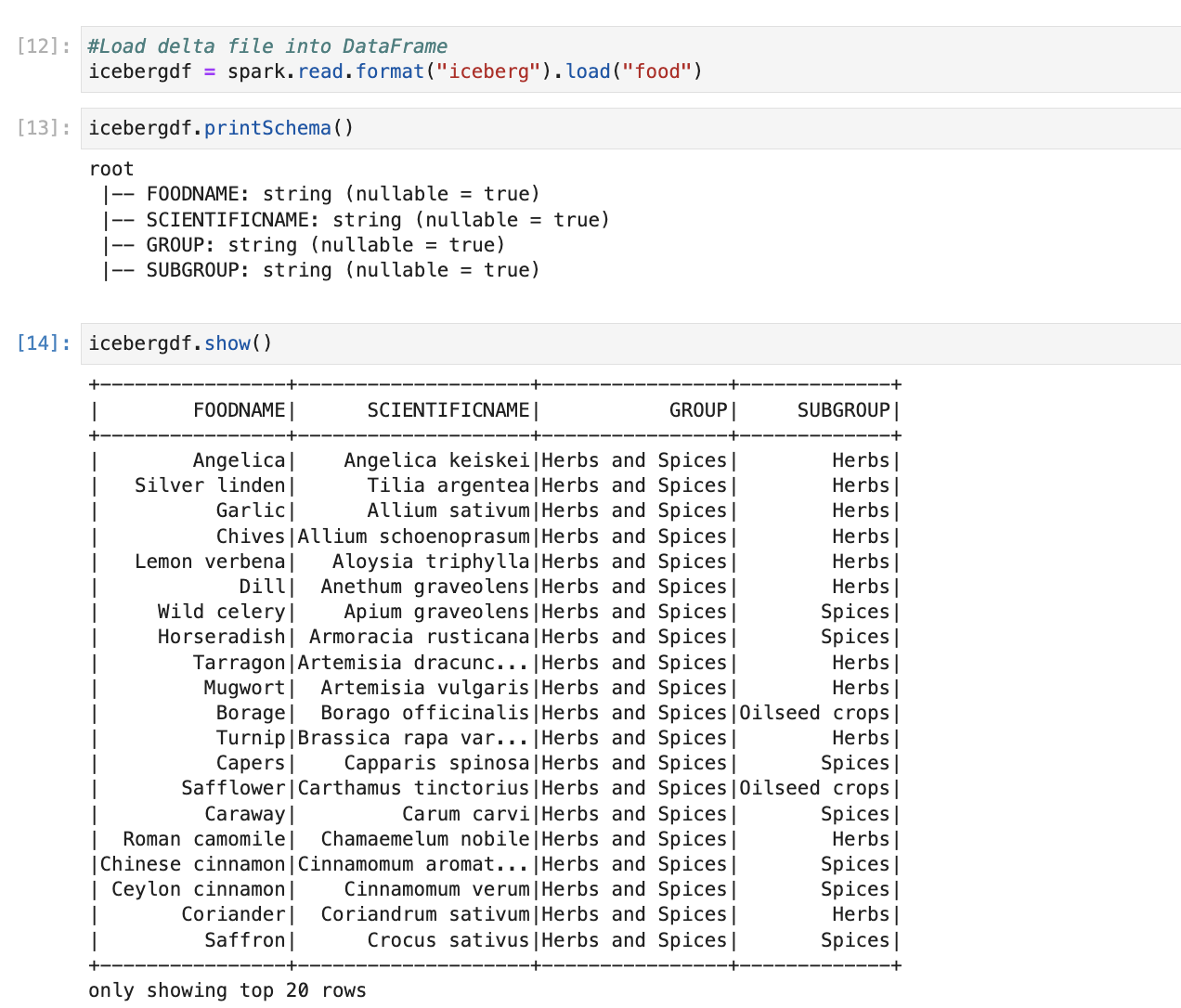
We have created our first Apache iceberg table. Now we will read data from Apache iceberg to Spark data frame and check schema and data.
Spark ETL with Apache Hudi
Here, we will be taking MySQL as the source and Apache Hudi as our destination. We will start our spark application with all the required packages and configuration of both data sets.
Starting spark application as below

The next step will be connecting to MySQL and loading data from the MySQL table to the spark data frame. We will do the same as we have done in an earlier blog. Once we have data in the data frame, we will create a new data frame by filtering one food group.
Here, you see that we have created one calculated column with the name “ts”. We need this for creating the Apache Hudi table. We will discuss this in the next section where we will create the first Hudi table.

Now, we are using a data frame and creating the first Hudi table. We are also passing options for creating a Hudi table. (It is the same as when we create a CSV file and pass a comma separator or when we create a JSON file and pass a single/multi-line JSON option)
One of the properties of the Hudi table is, it gives the option of upsert based on a key value. So it is mandatory to pass the key value and timestamp while we create the Hudi table. We have passed “FOODNAME” as our key value and by default, if we don’t pass the timestamp column, it will consider “ts” as the timestamp column.

Now, we will read data from the Hudi table and we will check the schema and data.

We can see that by default the first 5 columns were added to the Apache Hudi table. Those are the metadata stored with data. Which will be used for upsert operations.
Compare how they are creating data and metadata
First, we will compare how they are creating data and we will compare the schema of the data
| Delta Lake | Apache Iceberg | Apache Hudi |
| Add the columns which we pass (no extra columns) | Add the columns which we pass (no extra columns) | Add all the columns which we pass and also add the below columns _hoodie_commit_time -> Data commit time _hoodie_commit_seqno -> commit time + sequence _hoodie_record_key -> Key column _hoodie_partition_path -> Partition column _hoodie_file_name -> File name |
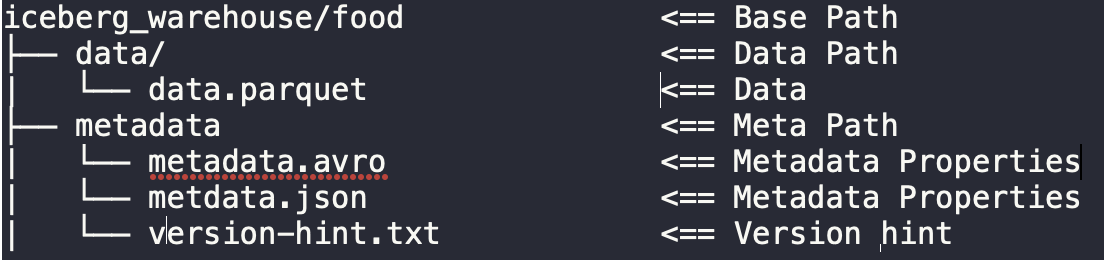
Now, we will compare how it creates metadata and data and create folders at the disk level.
Delta lake

Apache Iceberg
Apache Hudi

Conclusion
Here, we have learned about all the famous lake house data formats. And how to create a lakehouse using each data lake format. It depends on the use case on which data lake format one should use to create a lakehouse.
References and learning materials
- https://delta.io/ -> Delta Lake official site
- https://iceberg.apache.org/ -> Apache Iceberg official site
- https://cwiki.apache.org/confluence/display/HUDI -> Apache Hudi official documentation


Leave a Reply