Please find earlier blogs to have understanding of our Data Engineering Learning plan and system setup for Data Engineering. Today we are solving and learning one more Data Engineering problem and learning new concepts. For earlier problem solution and key learning points follow below.
https://developershome.blog/category/data-engineering/problem-solving/
Problem Statement
Query the Name of any student in STUDENTS who scored higher than 75 Marks. Order your output by the last three characters of each name. If two or more students both have names ending in the same last three characters (i.e.: Bobby, Robby, etc.), secondary sort them by ascending ID.
Problem Difficulty Level: Medium
Data Structure
- ID
- Name
- Marks

Data for students’ table
Please clone below GitHub repo in which we have all the data and problem solution with PostgreSQL, Apache Spark and Spark SQL.
https://github.com/developershomes/DataEngineeringProblems/tree/main/Problem%206
Solve using SQL (PostgreSQL)
First create tables into PostgreSQL using create script and also import data into tables as we discussed in earlier blogs. And list both tables’ data so we have understanding of data.
Once data is loaded in table, we will do select query to check data,

This is again an easy problem but we will make it easier by dividing it into multiple steps.
- First filter students based on more than 75 marks
- Second ordering based on their names last 3 character and id
First part, we will get all the students more than 75 marks and last three character so it will be easy to do order by.
SELECT id, name, RIGHT(name,3) as lastthreechar, marks
	FROM public.students
	WHERE marks > 75;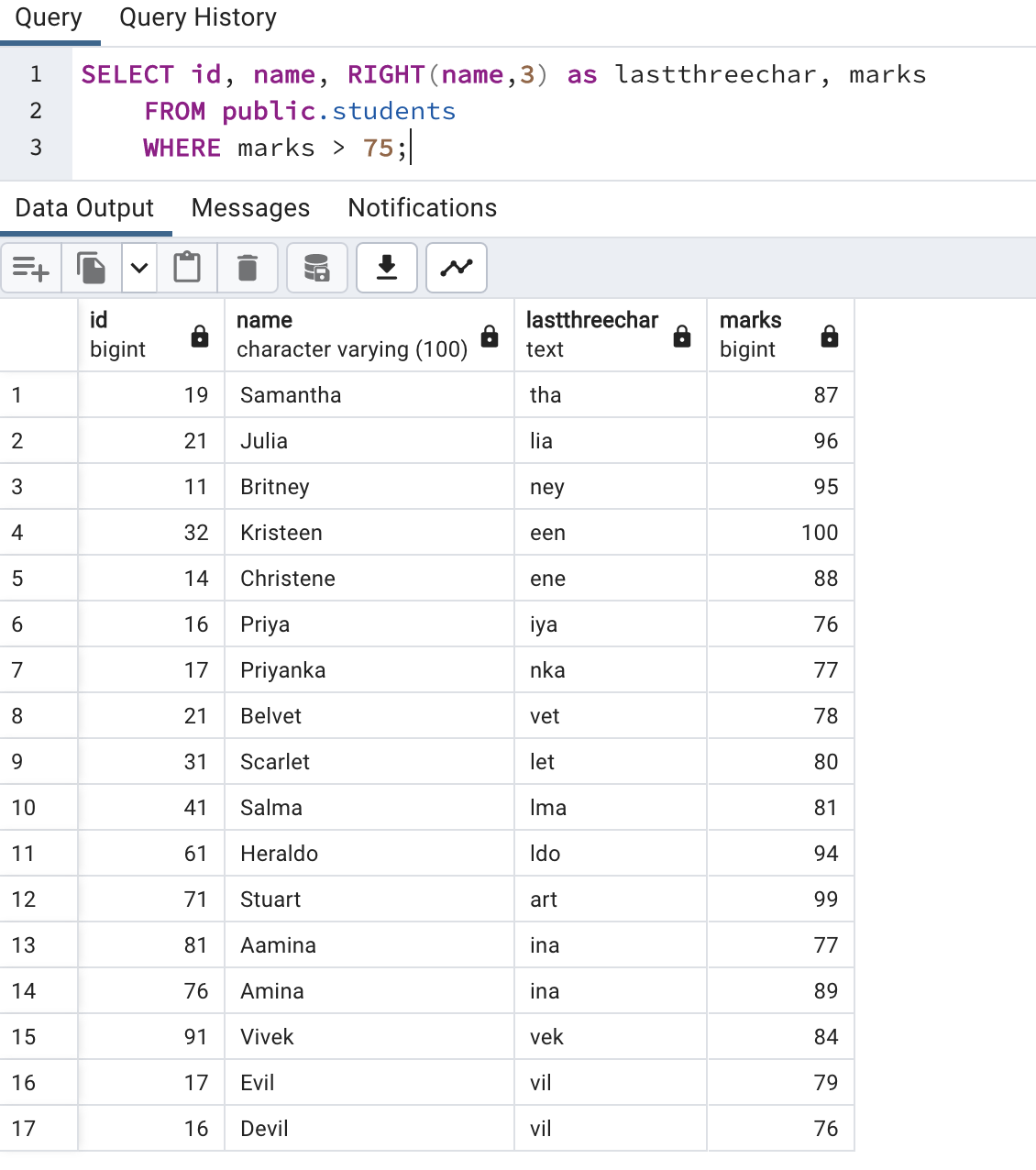
Here, we used WHERE condition and also used RIGHT() for getting the last 3 characters from name.
Next step is to use order by RIGHT(name,3)

Here, we can see those rows 5 and 6 both is having same last three characters. In this case we need result also by ordering by id. So, we will add one more order by condition. And our final query will be as below.
SELECT id, name, marks
	FROM public.students
	WHERE marks > 75
	ORDER BY RIGHT(name,3), id;
Solve Problem using Spark
In Spark, we will solve this problem using PySpark functions and also using Spark SQL.
First, we need to load data into Dataframe. First open Jupyter Lab and create one file and paste CSV data into that file.
Now, create Jupyter notebook using python as engine (kernel).

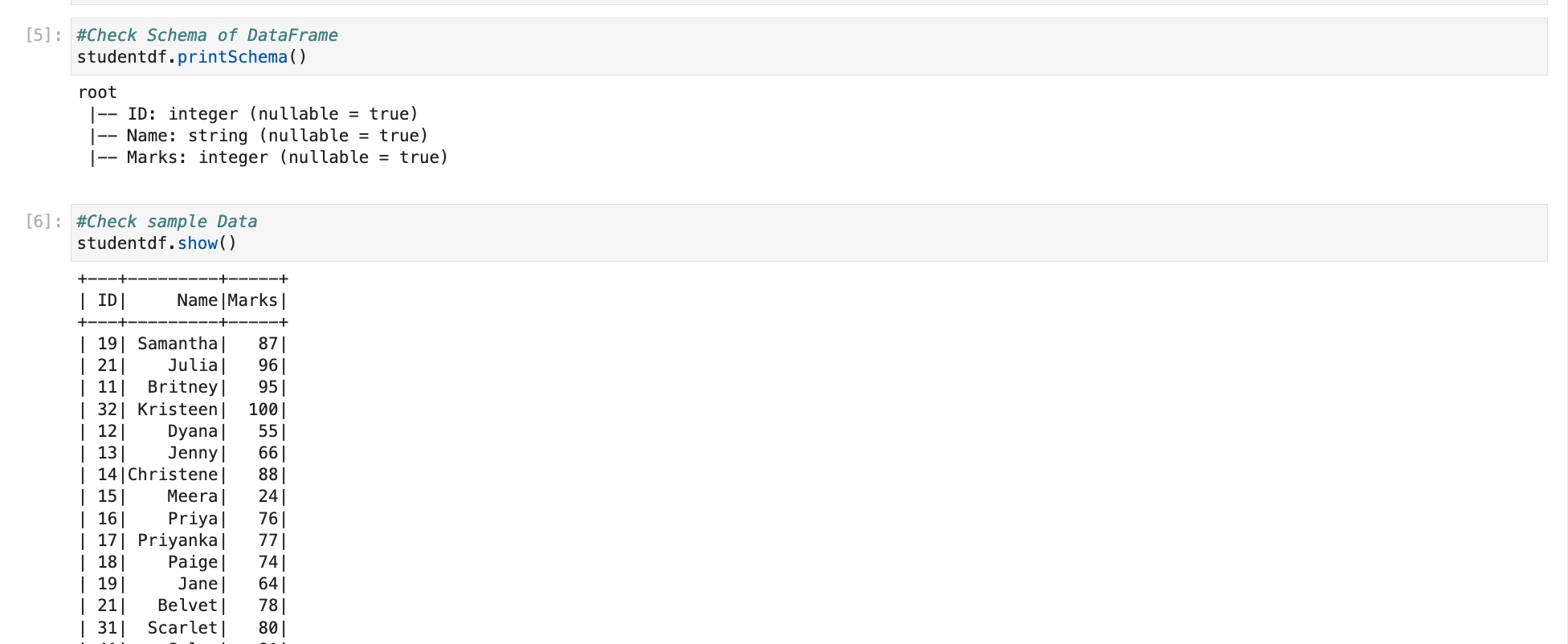
Once data is loaded into dataframe the next step is to check schema and data so we are sure that data is loaded correctly.
Solve using PySpark functions
In PySpark also we divide this in two steps
- First filter dataframe with more than 75 marks -> For that we can use Where or Filter
- Second order by data based on RIGHT(name,3) and id -> As we used last time, we will use RIGHT function and orderBy PySpark function.
So, our final PySpark code is as below
#Solving Problem using PySpark
#Filter with Markes > 75 and then order by last 3 char and ID
from pyspark.sql.functions import expr
studentdf.select("Name").where("Marks > 75").orderBy(expr("RIGHT(Name,3)"),"ID").show(n=100)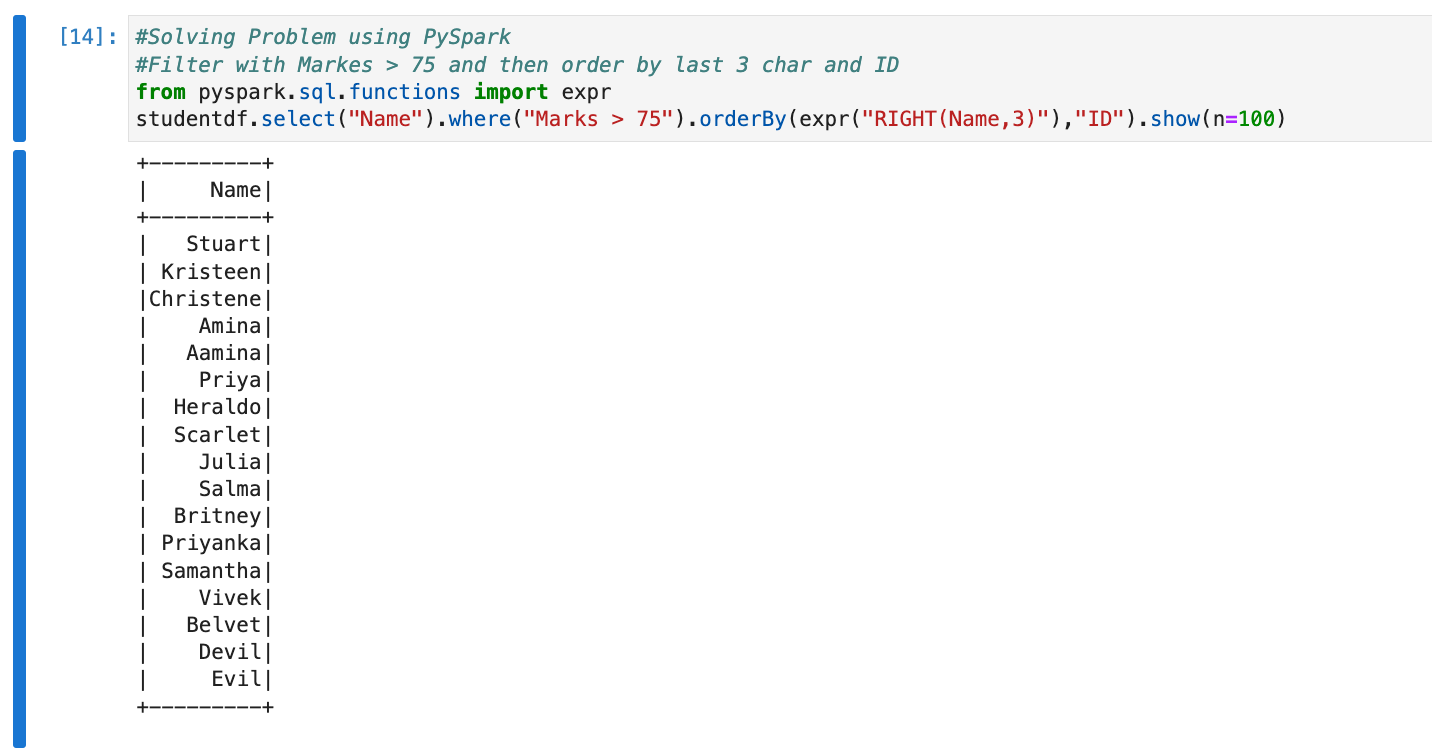
Solve using Spark SQL
Before using Spark SQL, we need to create a temp table (or HIVE table) from data frame.

We have already solved this problem using PostgreSQL earlier and we know that Spark SQL is always works with almost all ANSI SQL functions. So, we will direct use that query by changing table name with temp table.
# Now we have SQL Table and we can write SQL Query on top of that
# For example by Select on table
sqlContext.sql("SELECT Name \
                    FROM tmpStudent \
                    WHERE Marks > 75 \
                    ORDER BY right(Name,3),ID").show()

Conclusion:
Today, we have revised earlier concepts
- WHERE & Filter -> In SQL we use WHERE for applying filter and in PySpark, we use WHERE or Filter for filtering data.
- Order By -> In SQL and PySpark, we use order by for ordering data based on specified columns.
 Developers' HOME
Leave a comment