Please find earlier blogs to have understanding of our Data Engineering Learning plan and system setup for Data Engineering. Today we are solving and learning one more Data Engineering problem and learning new concepts. For earlier problem solution and key learning points follow below.
https://developershome.blog/category/data-engineering/problem-solving/
Problem Statement
Write a query that’ll identify returning active users. A returning active user is a user that has made a second purchase within 7 days of any other of their purchases. Output a list of user_ids of these returning active users.
Problem Difficulty Level: Medium
Data Structure
- id
- user_id
- item
- created_at
- revenue

Data for transaction table
Please clone below GitHub repo in which we have all the data and problem solution with PostgreSQL, Apache Spark and Spark SQL.
https://github.com/developershomes/DataEngineeringProblems/blob/main/Problem%207/README.md
Solve using SQL (MySQL)
Till now we solved problems using PostgreSQL but today we will be trying another flavor of SQL which is MySQL.
First, we will learn how to create tables in MySQL and load data into MySQL. Please follow the blog and video for the same.
So, now we have data in the table. As usual, we will divide this problem into multiple steps.
- First, we will get users all the purchase in one line
- For that we need to join same table two times
- Once we have all the purchases for users in one line, we will use filter condition by getting difference of first and last date.
- We also need unique list of users so we will use distinct function
- Finally, we need users by id so we will add order by.
Joining transaction table and getting all the purchases in same line
SELECT a1.*, a2.*
FROM transaction a1
JOIN transaction a2 ON a1.user_id=a2.user_id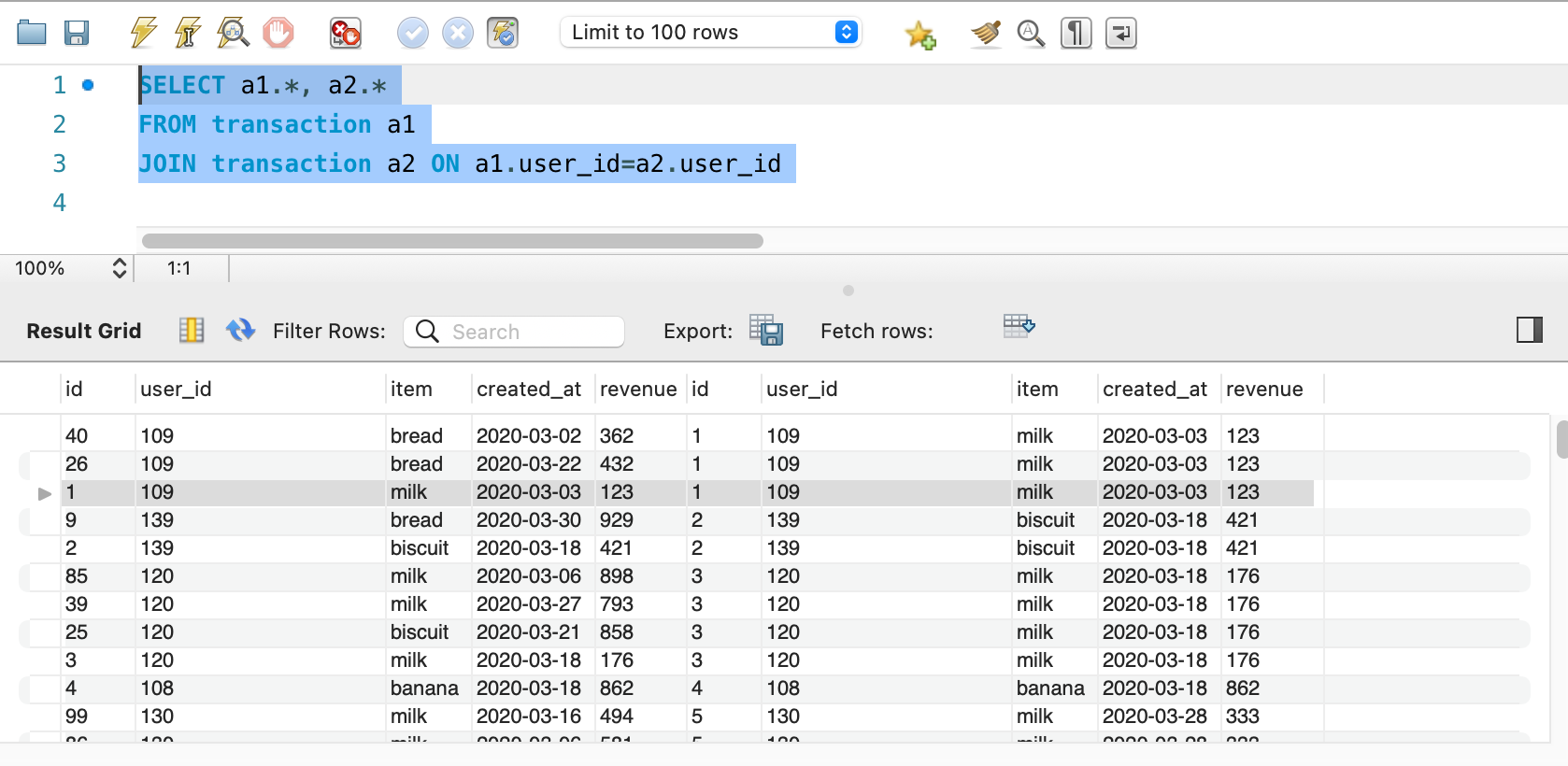
So, we have the same users first purchase and next purchase is in same column, but what we see is same purchase is also coming with this one but we only need next our different purchase. So, we will add one condition that id should not match with other id.
SELECT a1.*, a2.*
FROM transaction a1
JOIN transaction a2 ON a1.user_id=a2.user_id
AND a1.id <> a2.id;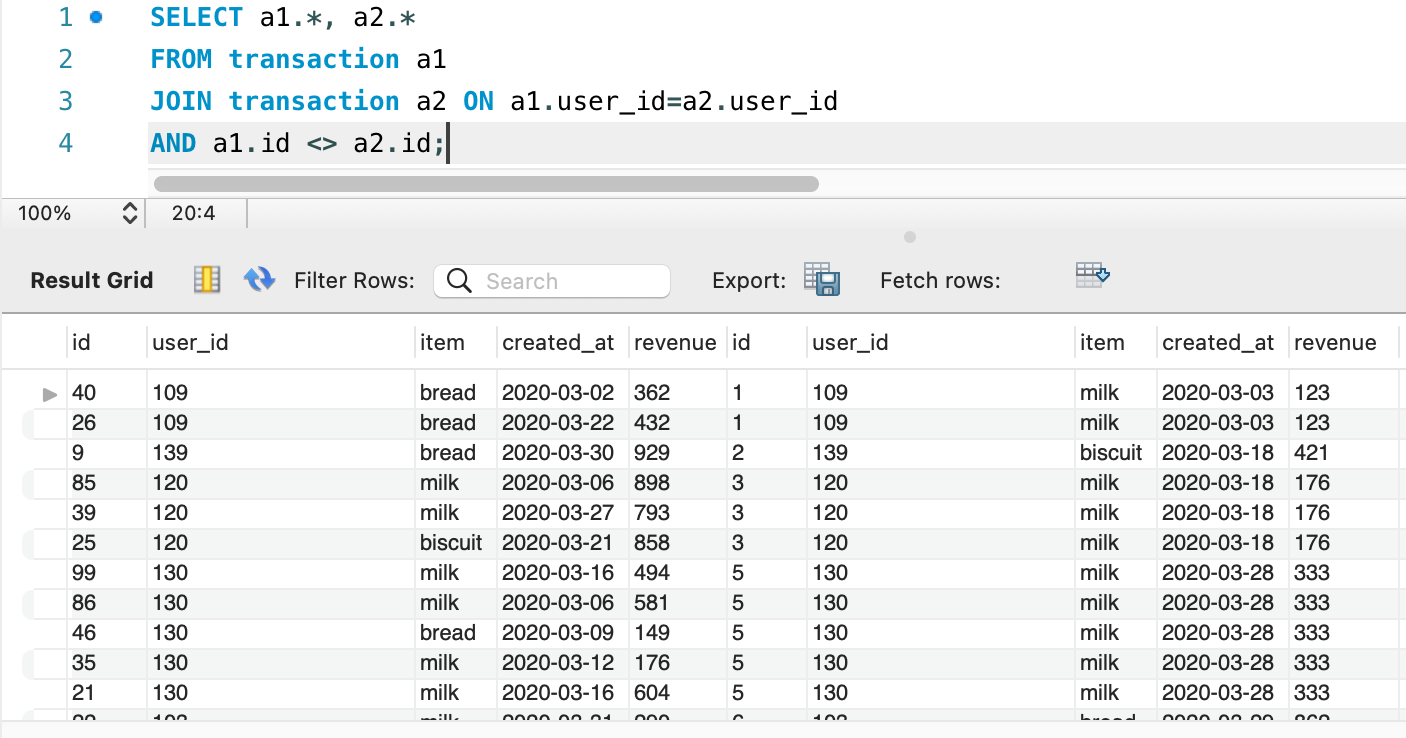
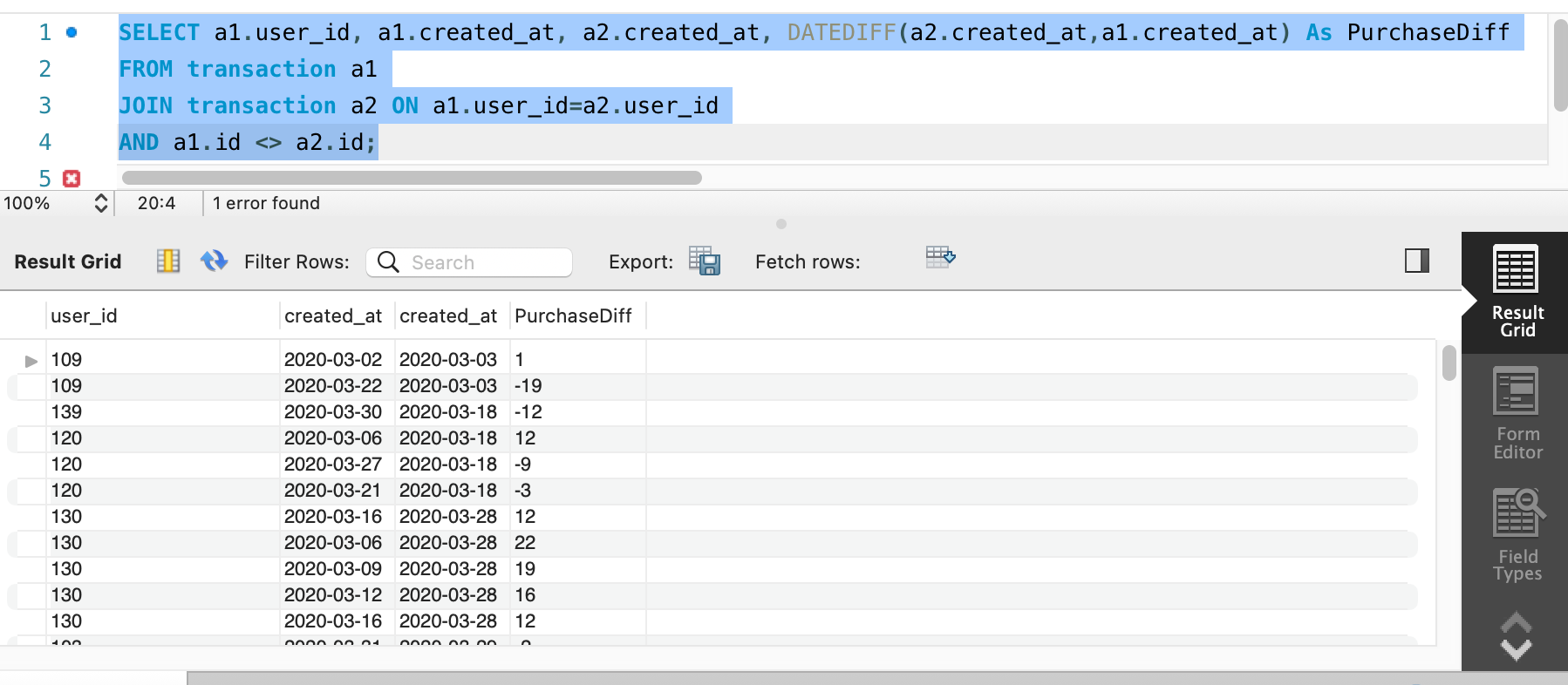
Now, this one look good. Next step is to get difference between first and second purchase and get difference between 0 to 7. For that we will use DATEDIFF() function.
Our query will be as below
SELECT a1.user_id, a1.created_at, a2.created_at, DATEDIFF(a2.created_at,a1.created_at) As PurchaseDiff
FROM transaction a1
JOIN transaction a2 ON a1.user_id=a2.user_id
AND a1.id <> a2.id;
AND DATEDIFF(a2.created_at,a1.created_at) BETWEEN 0 AND 7;
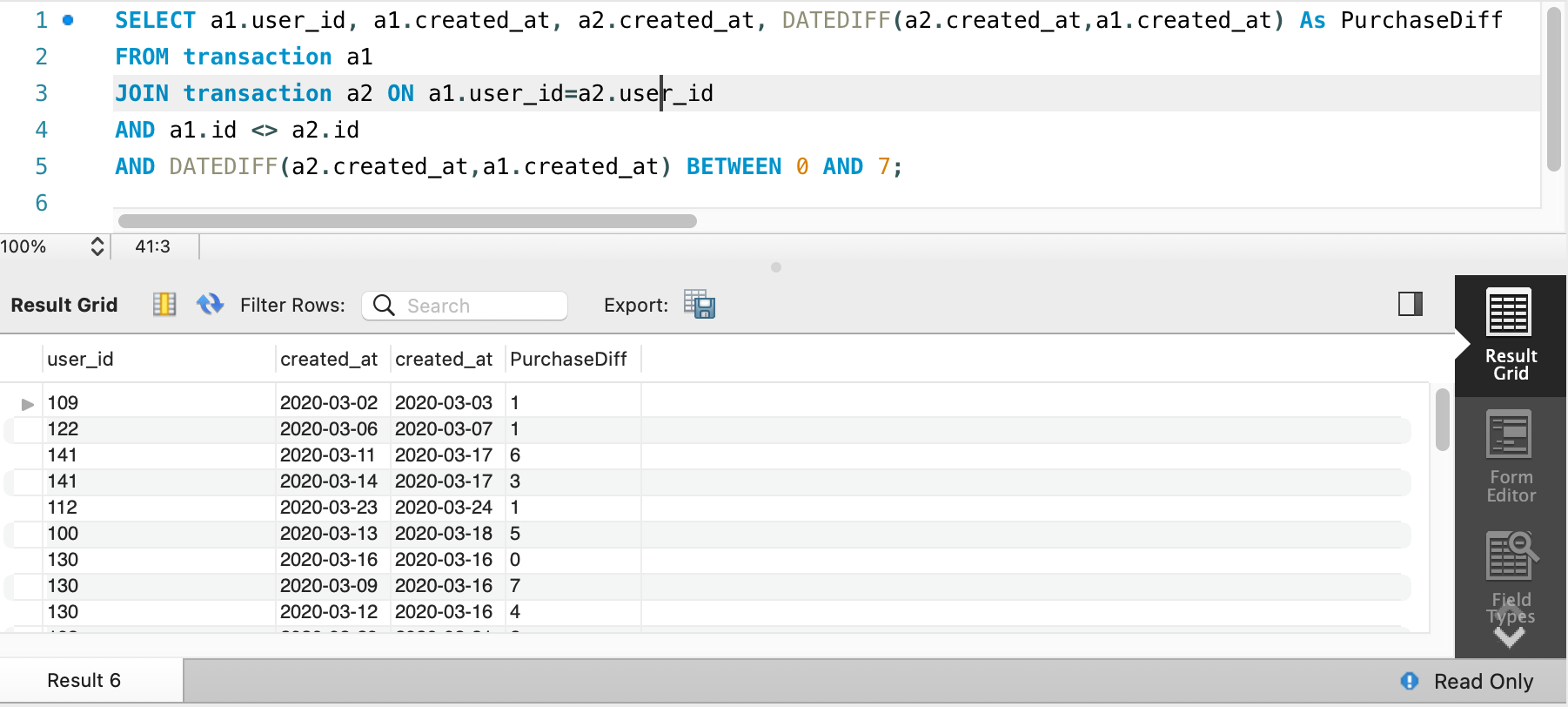
Adding filter that this Purchase difference should be in between 0 to 7
SELECT a1.user_id, a1.created_at, a2.created_at, DATEDIFF(a2.created_at,a1.created_at) As PurchaseDiff
FROM transaction a1
JOIN transaction a2 ON a1.user_id=a2.user_id
AND a1.id <> a2.id
AND DATEDIFF(a2.created_at,a1.created_at) BETWEEN 0 AND 7;
Next step, which is getting user by user’s id
SELECT a1.user_id, a1.created_at, a2.created_at, DATEDIFF(a2.created_at,a1.created_at) As PurchaseDiff
FROM transaction a1
JOIN transaction a2 ON a1.user_id=a2.user_id
AND a1.id <> a2.id
AND DATEDIFF(a2.created_at,a1.created_at) BETWEEN 0 AND 7
ORDER BY a1.user_id
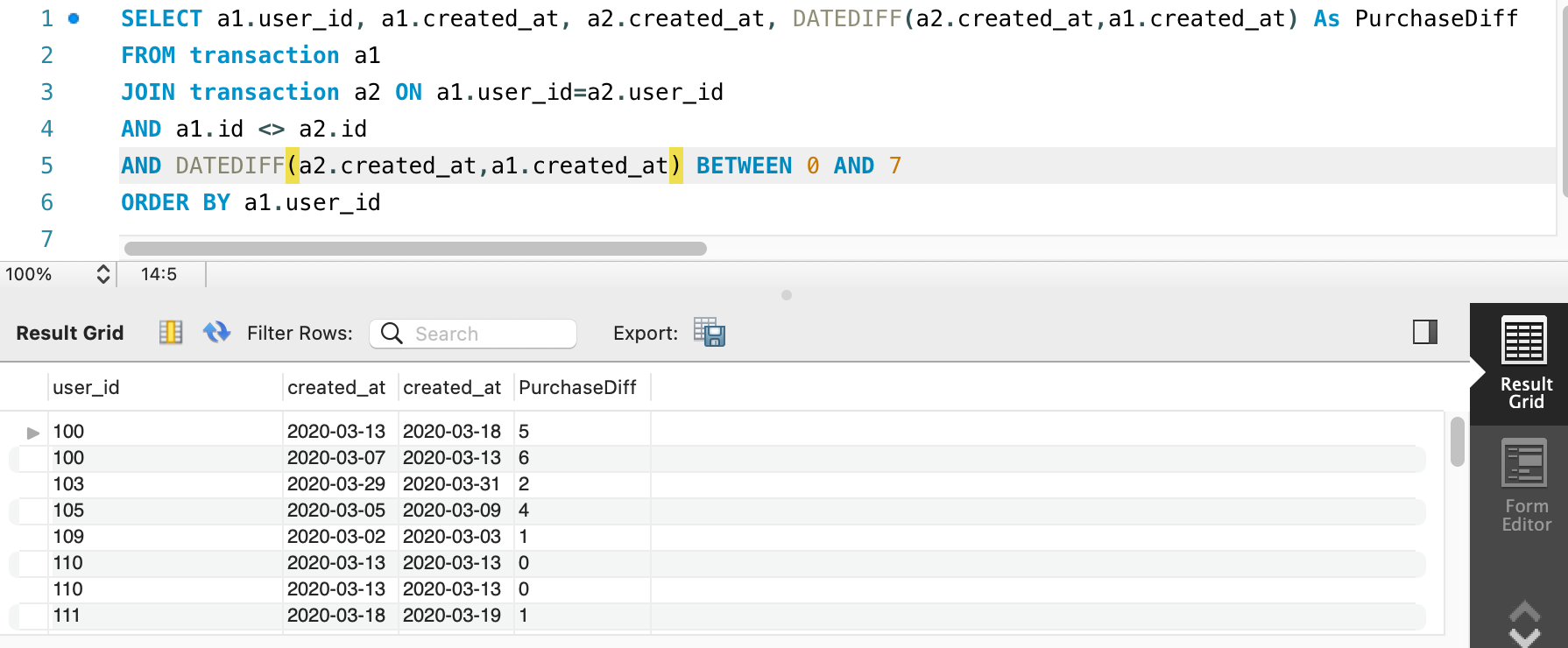
We see that we are getting duplicate user’s id. The final and next step is to get unique user ids.
Final query
SELECT DISTINCT a1.user_id
FROM transaction a1
JOIN transaction a2 ON a1.user_id=a2.user_id
AND a1.id <> a2.id
AND DATEDIFF(a2.created_at,a1.created_at) BETWEEN 0 AND 7
ORDER BY a1.user_id
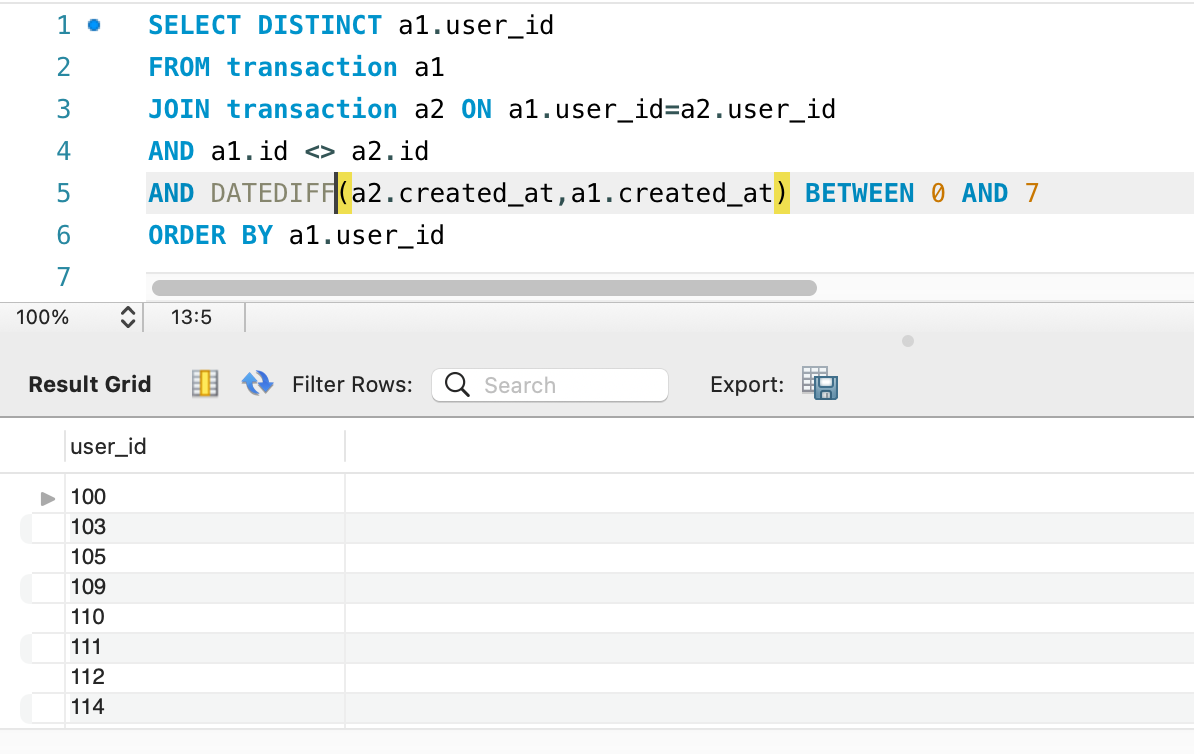
Solve Problem using Spark
In Spark, we will solve this problem using Spark SQL.
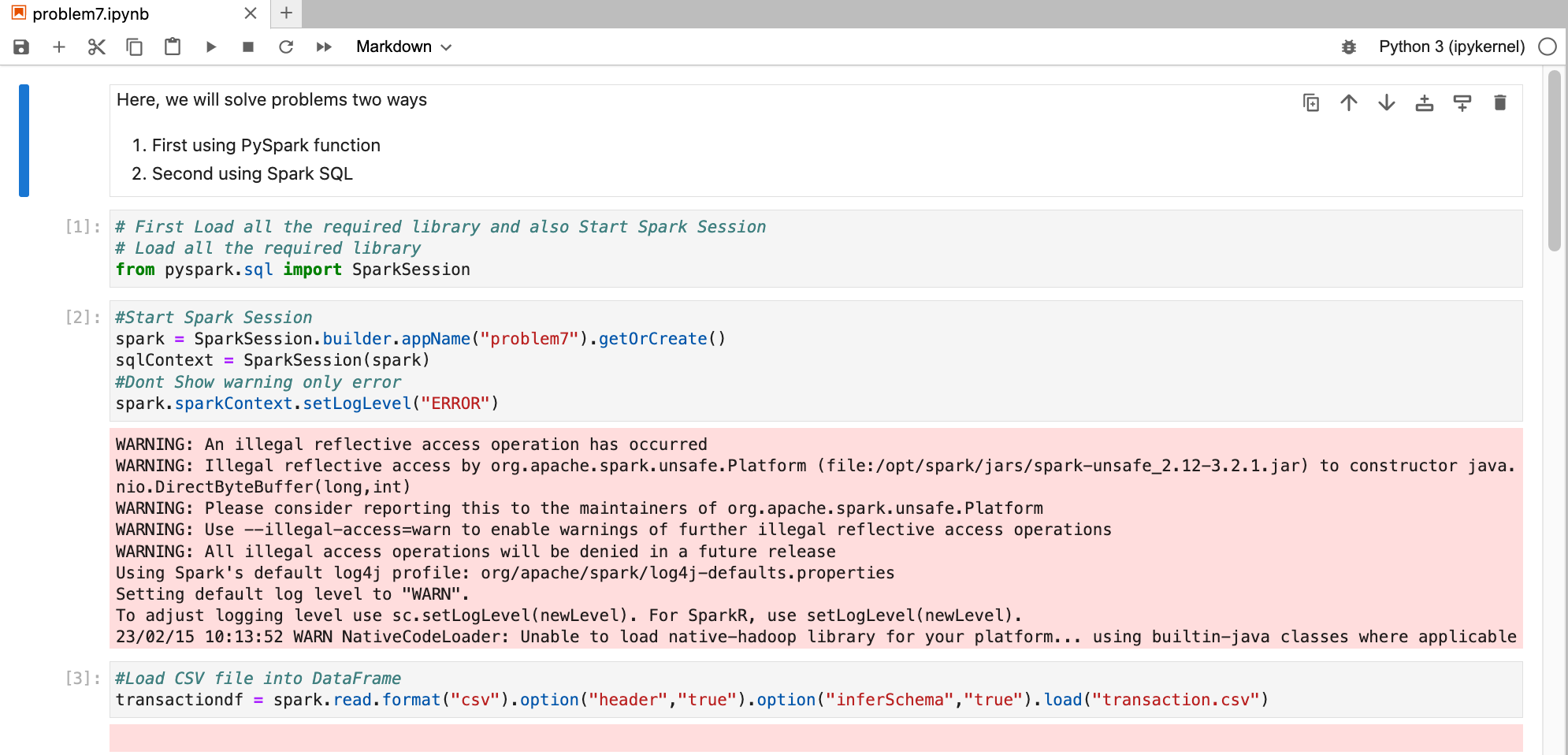
First, we need to load data into Dataframe. First open Jupyter Lab and create one file and paste CSV data into that file.
Now, create Jupyter notebook using python as engine (kernel).
Check schema and data from dataframe

Here, we see that created_at is considered as string instead of date. If we do date operations that will not work. So first we will make correct data type using cast function.
from pyspark.sql.functions import col
transactiondf = transactiondf.withColumn("created_at",col("created_at").cast("date"))
Now, we have all the columns with correct data type.
Solve using Spark SQL
Before using Spark SQL, we need to create a temp table (or HIVE table) from data frame.
# Now we are solving Same problem using Spark SQL
# Creating Temp Table or HIVE table
transactiondf.createOrReplaceTempView("tmpTransaction")
We have already solved this problem using MySQL earlier and we know that Spark SQL works with almost all ANSI SQL functions. So, we will direct use that query by changing table name with temp table.
# Now we have SQL Table and we can write SQL Query on top of that
# For example by Select on table
sqlContext.sql("SELECT DISTINCT(a1.user_id) \
                FROM tmpTransaction a1 \
                JOIN tmpTransaction a2 ON a1.user_id=a2.user_id \
                AND a1.id <> a2.id \
                AND DATEDIFF(a2.created_at,a1.created_at) BETWEEN 0 AND 7 \
                ORDER BY a1.user_id;").show()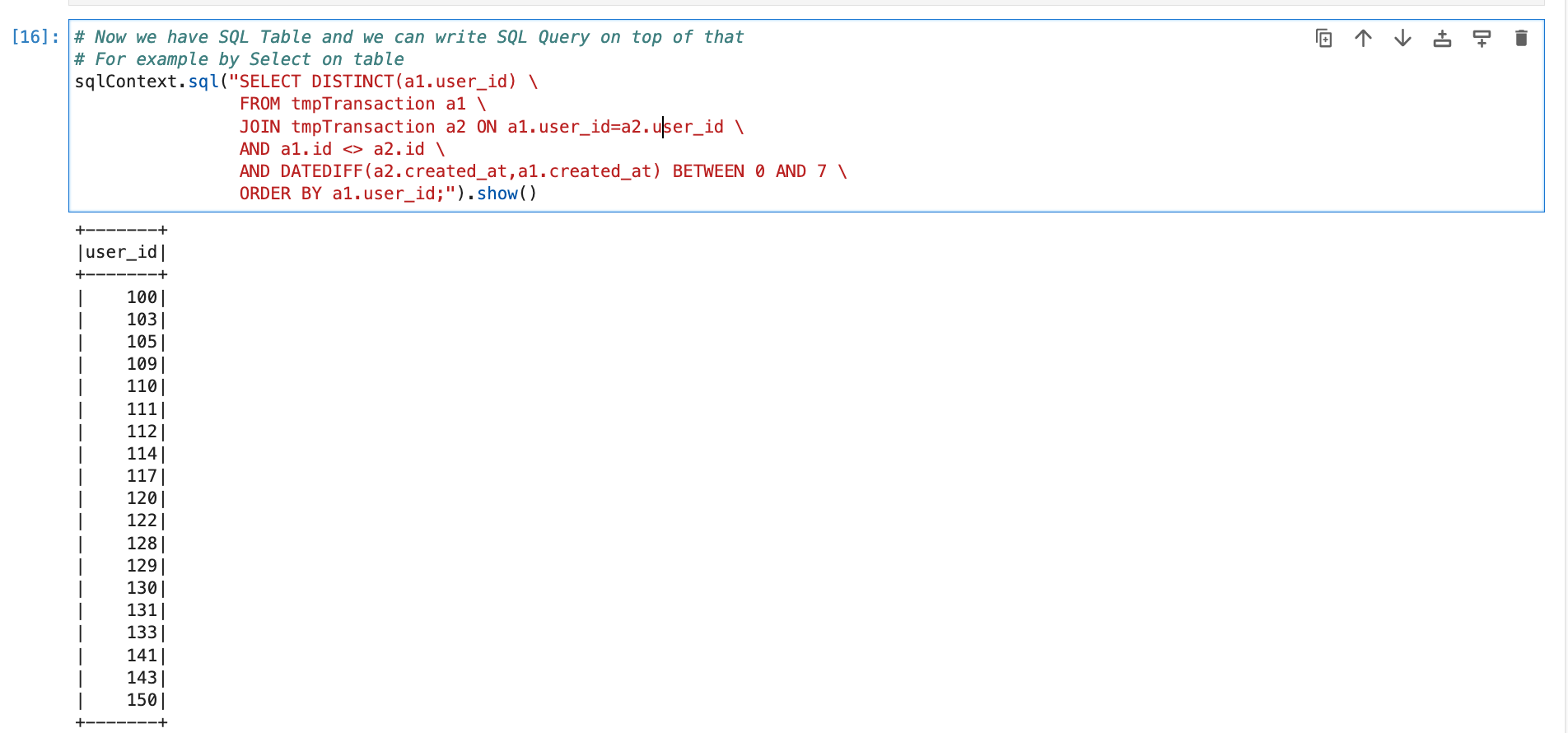
Conclusion
Here, we learned below concepts
- Join -> Using join we can join two tables; it can be also same tables as we used today
- DateDiff() -> function provides difference between two dates in days.
 Developers' HOME
Leave a comment