Please find earlier blogs to have understanding of our Data Engineering Learning plan and system setup for Data Engineering. Today we are solving and learning one more Data Engineering problem and learning new concepts. For earlier problem solution and key learning points follow below.
https://developershome.blog/category/data-engineering/problem-solving/
Problem Statement
Find the top 10 users that have traveled the least (and also highest) distance. Output their id, name and a total distance traveled.
Problem Difficulty Level: Medium
Data Structure
ride_log
- id
- user_id
- travel
user
- id
- name
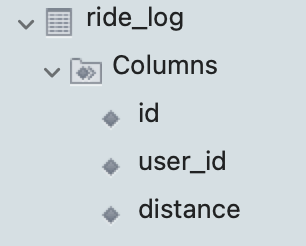

Data for ride_log and user table
Please clone below GitHub repo in which we have all the data and problem solution with PostgreSQL, Apache Spark and Spark SQL.
https://github.com/developershomes/DataEngineeringProblems/blob/main/Problem%208/README.md
Solve using SQL (MySQL)
The first step is to create both tables in MySQL using the provided SQL Script and load data into those tables.
Please follow the video below if you don’t know how to create a table and load data into a table.
Once data is loaded into table use SELECT query to check data into table.
SELECT * FROM DATAENG.user;
SELECT * FROM DATAENG.ride_log;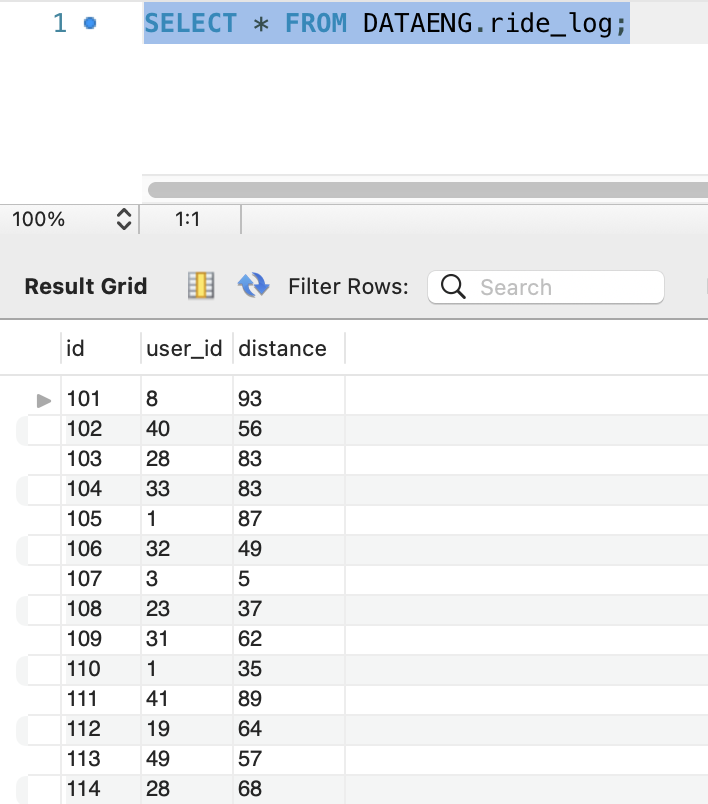
So, now we have data in the table. As usual, we will divide this problem into multiple steps
- First, we will join both tables so we have user name and distance traveled by user in same rows
- After that we will use aggregate function and total (sum) all the distance travelled by user, so we will have one entry per user in output
- After that we will use rank function and we will give rank based on total distance travelled by user (We will use order by distance ascending order to get top 10 least users and order by descending for getting top 10 highest users)
- Once we have a rank for each user based on distance travelled, we will write a select query on top of that and apply filter to get top 10 users.
As per above, the first step is to join both tables based on their common column which is user id.
Our query will be as below
select *
      from DATAENG.ride_log as log
LEFT OUTER JOIN DATAENG.user as users
ON log.user_id = users.id

The second step is to get the total distance travelled by each user. For that we will use aggregate function SUM().
select user_id
      ,name
      , sum(distance) as total
      from DATAENG.ride_log as log
LEFT OUTER JOIN DATAENG.user as users
ON log.user_id = users.id
GROUP BY user_id, name

In the next step, we can have simply done order by and can get top 10. This way we can get whatever result we want. Let’s see what happens if we do that
select user_id
      ,name
      , sum(distance) as total
      from DATAENG.ride_log as log
LEFT OUTER JOIN DATAENG.user as users
ON log.user_id = users.id
GROUP BY user_id, name
ORDER BY sum(distance)

Here, we see that we have two users with total distance travelled 81. So, if we do top 10, second user will be missed but we also need that user as he also travelled same distance. And that is why we need to use RANK() function.
select  user_id
      , name
      , sum(distance) as total
      , RANK() OVER (ORDER BY sum(distance)) as actualrank
      from DATAENG.ride_log as log
LEFT OUTER JOIN DATAENG.user as users
ON log.user_id = users.id
GROUP BY user_id, name
ORDER BY sum(distance)

Here, we see that both users are getting rank 10. so, we will not miss the second user.
Now our final step is to select on top of this and get all the results till rank 10.
SELECT q.user_id, q.name, q.total
FROM
( select user_id
      ,name
      , sum(distance) as total
      , RANK() OVER (ORDER BY sum(distance)) as actualrank
      from DATAENG.ride_log as log
LEFT OUTER JOIN DATAENG.user as users
ON log.user_id = users.id
GROUP BY user_id, name
ORDER BY sum(distance)) as q
WHERE q.actualrank <= 10
Same way, if we want to get top 10 users by highest travelled distance, we can use descending order.
SELECT q.user_id, q.name, q.total
FROM
( select user_id
      ,name
      , sum(distance) as total
      , RANK() OVER (ORDER BY sum(distance) DESC) as actualrank
      from DATAENG.ride_log as log
LEFT OUTER JOIN DATAENG.user as users
ON log.user_id = users.id
GROUP BY user_id, name
ORDER BY sum(distance) DESC) as q
WHERE q.actualrank <= 10
Solve Problem using Spark
In Spark, we will solve this problem using Spark SQL.
First, we need to load data into Dataframe. First open Jupyter Lab and create one file and paste CSV data into that file.
Now, create Jupyter notebook using python as engine (kernel).

Load both ride_log and user file into dataframe and also print schema so we are sure that data is loaded correctly and with correct data type.

Solve using Spark SQL
Before using Spark SQL, we need to create a temp table (or HIVE table) from data frame.
# Now we are solving Same problem using Spark SQL
# Creating Temp Table or HIVE table
ridelogdf.createOrReplaceTempView("tmpRidelog")
userdf.createOrReplaceTempView("tmpUser")
We have already solved this problem using MySQL and we know that Spark SQL is also supporting all the ANSI SQL. So, we directly use the same query which we used in MySQL.
Top 10 users by least distance travel
sqlContext.sql("SELECT q.user_id, q.name, q.total \
                FROM  \
                (  \
                   SELECT user_id \
                          , name \
                          , sum(distance) as total\
                          , RANK() OVER (ORDER BY sum(distance)) as actualrank \
                    FROM tmpRidelog as log \
                    LEFT OUTER JOIN tmpUser as users \
                    ON log.user_id = users.id \
                    GROUP BY user_id, name ) as q \
                    WHERE q.actualrank <= 10").show()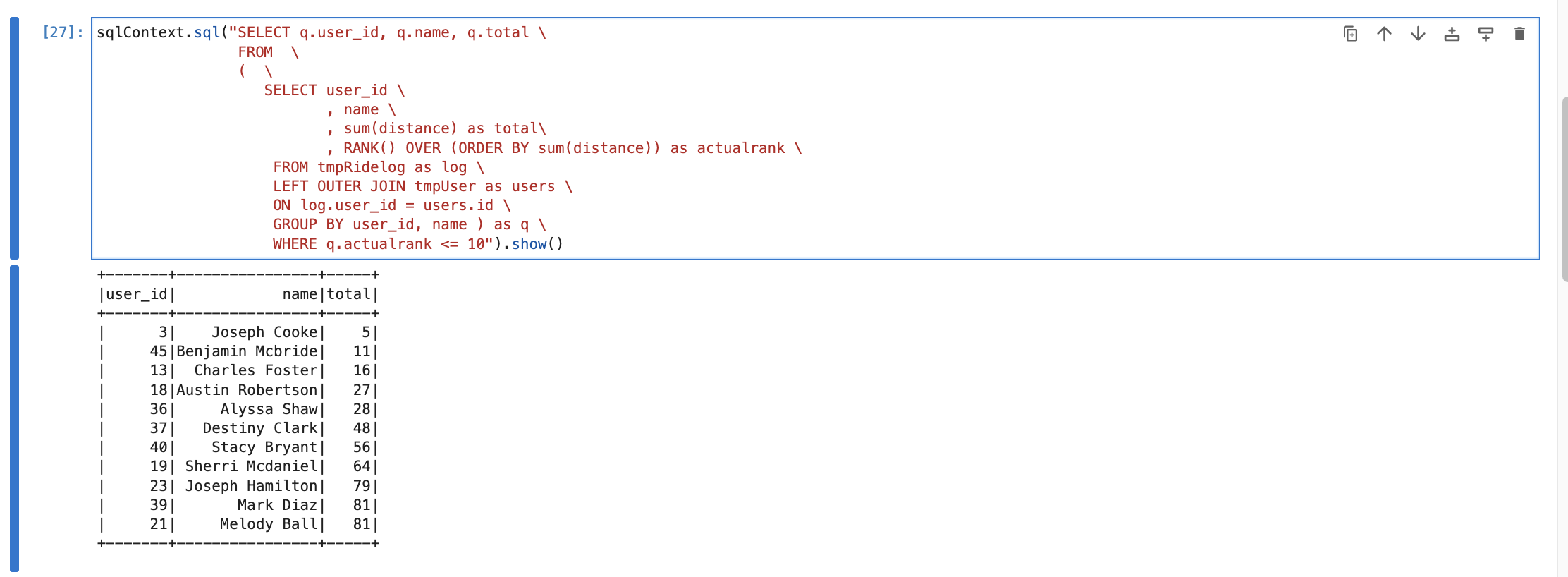
Top 10 users by highest distance travel
sqlContext.sql("SELECT q.user_id, q.name, q.total \
                FROM  \
                (  \
                   SELECT user_id \
                          , name \
                          , sum(distance) as total\
                          , RANK() OVER (ORDER BY sum(distance) DESC) as actualrank \
                    FROM tmpRidelog as log \
                    LEFT OUTER JOIN tmpUser as users \
                    ON log.user_id = users.id \
                    GROUP BY user_id, name ) as q \
                    WHERE q.actualrank <= 10").show()
Conclusion
Here, we learned below concepts
- SUM -> Aggregate function in SQL to get sum (total) of that column. When we use aggregate function we also need to use GROUP BY with it.
- RANK -> function to get rank based on ascending or descending order and we also use partition by to give rank based on any specific column/columns
- Sub Query -> In SQL, we can write query inside query to get descire results.
 Developers' HOME
Leave a comment