Please find earlier blogs to have understanding of our Data Engineering Learning plan and system setup for Data Engineering. Today we are solving and learning one more Data engineering problem and learning new concepts.
Problem Statement
We have a table with employee’s tables in which we have employee details with salary and department id of the employees. We have one more table in which we have department id and department name. Provide below queries
- Use both these tables and list all the employees working in the marketing department with the highest to lowest salary order.
- Provide a count of employees in each department with the department name.
Problem Difficulty Level: Easy
Data Structure
Employee table
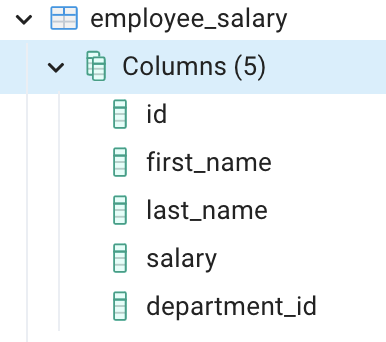
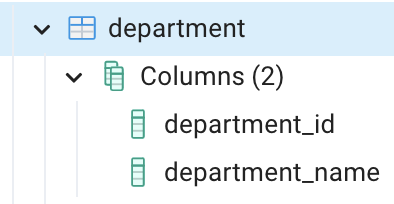
Department table
Data for employee salary table
Data for department table
Please clone below GitHub repo in which we have all the data and problem solution with PostgreSQL, Apache Spark and Spark SQL.
https://github.com/developershomes/DataEngineeringProblems/tree/main/Problem%202
Solve using SQL (PostgreSQL)
First create tables into PostgreSQL using create script and also import data into tables as we discussed in earlier blogs. And list both tables’ data so we have understanding of data.
Employee Salary table
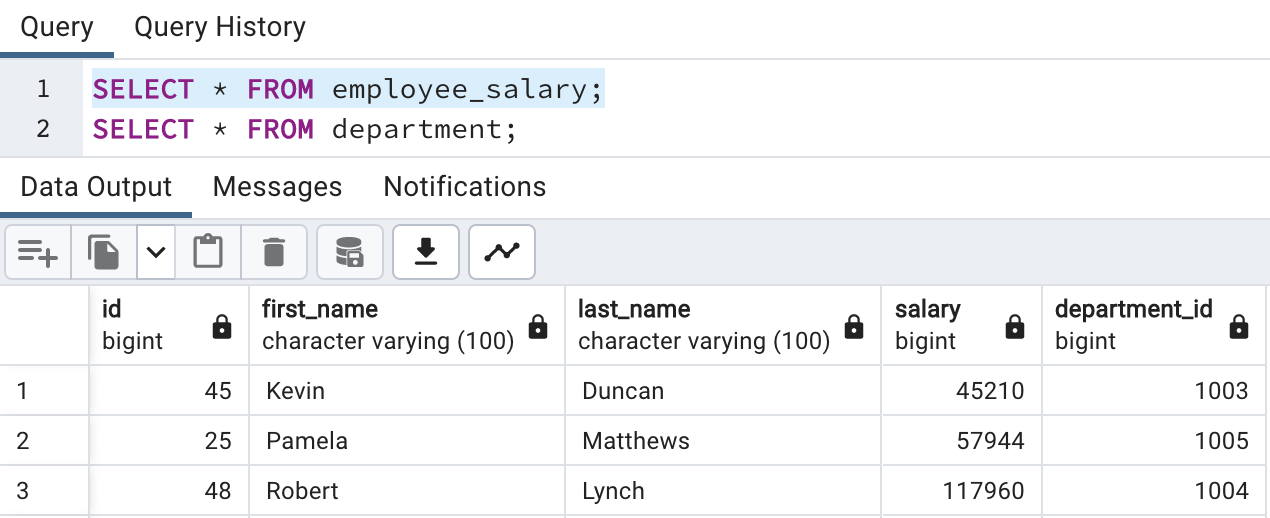
Department table

Here, we see that the employee salary table is having department id and department details are stored into the department master table. So, we need to join both tables if we need depart name details.
Going to our problem statement
“Use both these tables and list all the employees working in the marketing department with the highest to lowest salary order.”
We will divide this problem into multiple steps so that it is easy to solve.
- First, we will join both tables so that we have department name with each employee
- Second, we will filter with department “Marketing”
- Thirdly, we will order data based on salary in ascending order.
First part joining two tables
- We have department_id as a key in both tables
- And we need department details with respect to each employee and that’s we will use left outer join.
SELECT emp.*, department.*
	FROM public.employee_salary as emp
	LEFT OUTER JOIN public.department as department
	ON emp.department_id = department.department_id;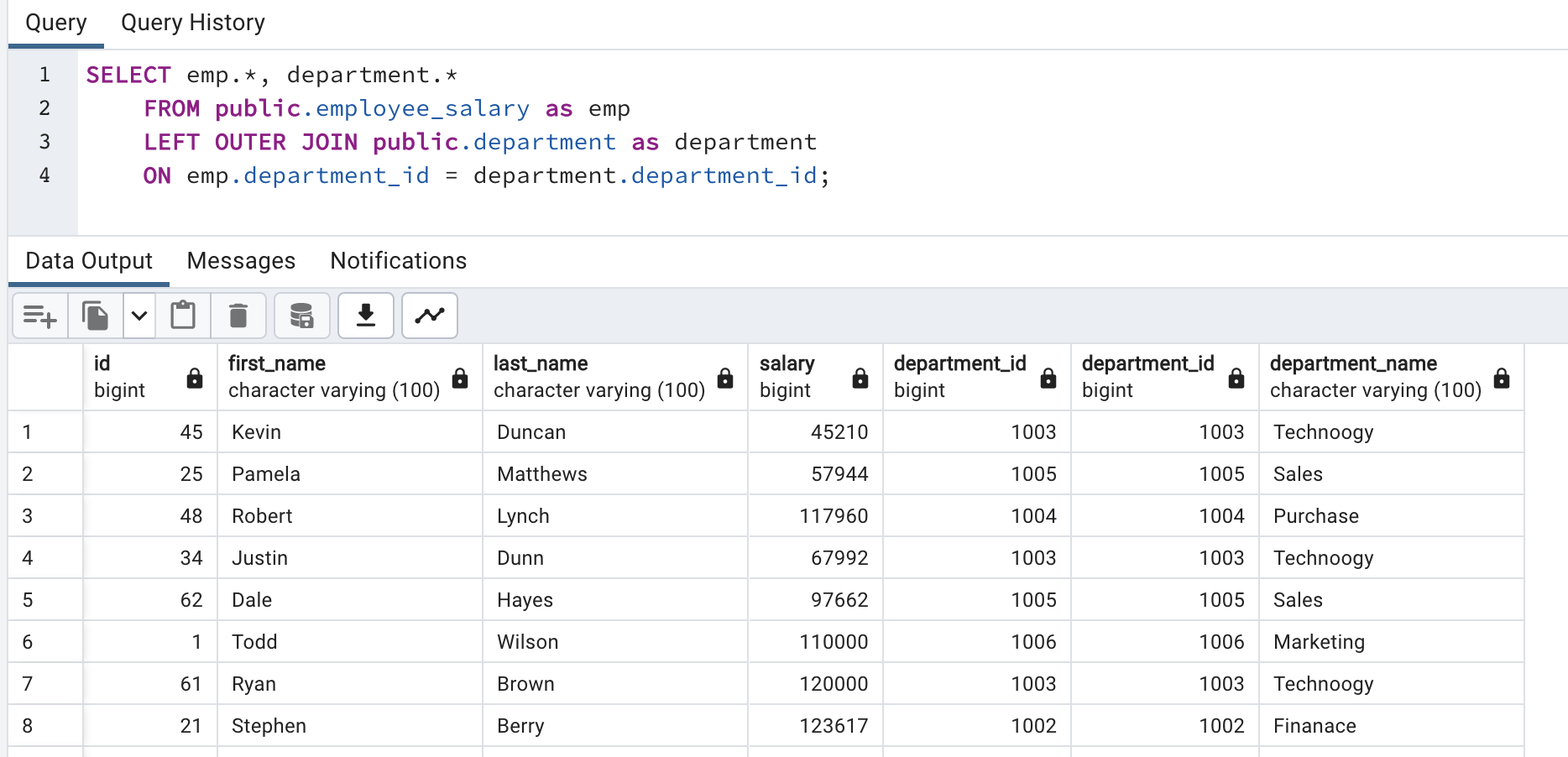
Now, we have department name with each employee.
Second part filter with “Marketing” department.
SELECT emp.*, department.*
	FROM public.employee_salary as emp
	LEFT OUTER JOIN public.department as department
	ON emp.department_id = department.department_id
	WHERE department.department_name = 'Marketing';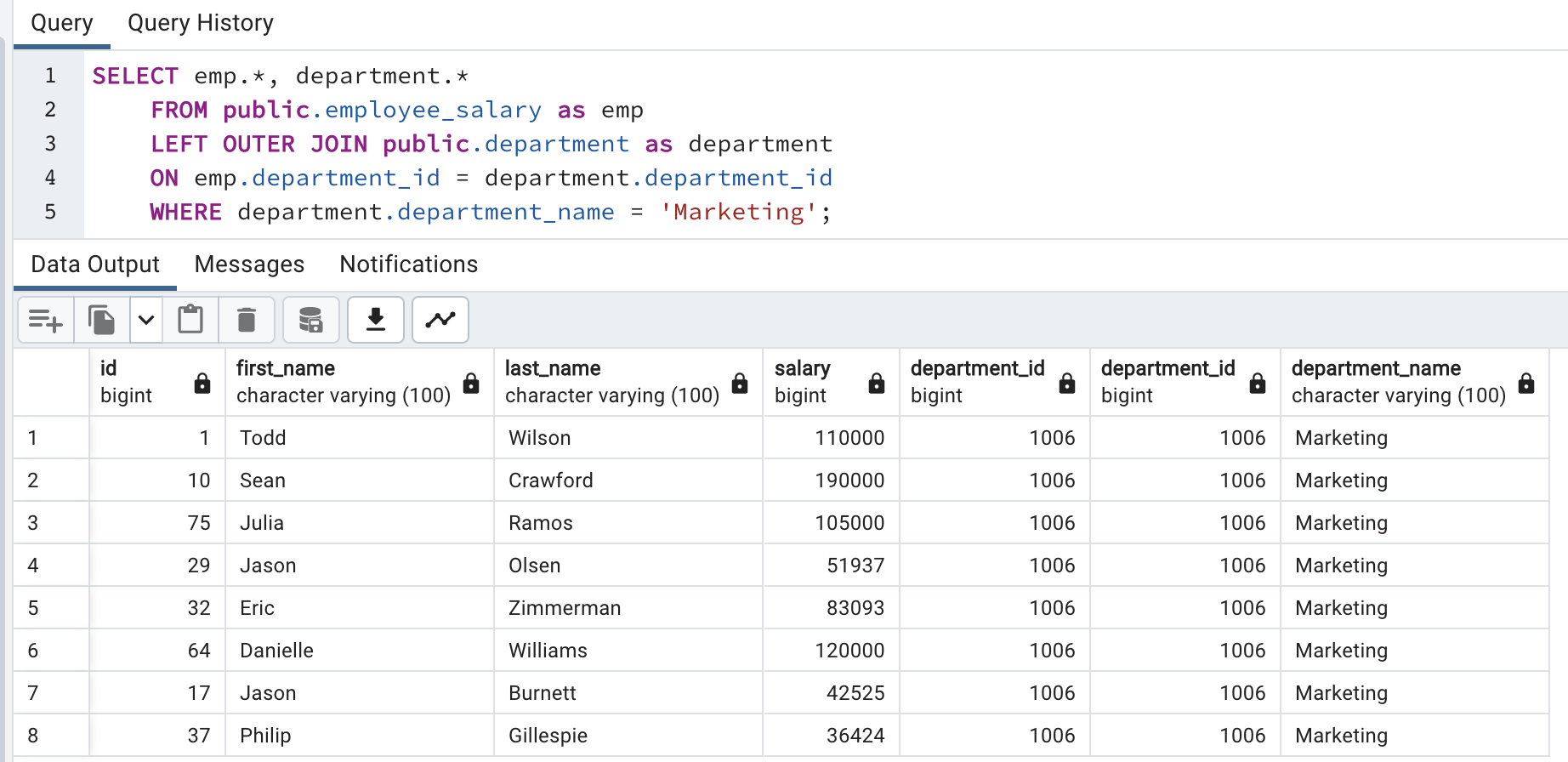
Third and final step is ordering based on salary
SELECT emp.*, department.*
	FROM public.employee_salary as emp
	LEFT OUTER JOIN public.department as department
	ON emp.department_id = department.department_id
	WHERE department.department_name = 'Marketing'
	ORDER BY salary DESC;
Solve Problem using Spark
In Spark, we will solve this problem using PySpark functions and also using Spark SQL.
First for both, we need to load data into Dataframe. First open Jupyter Lab and create one file and paste CSV data into that file.
As we discussed earlier, we will first load both the CSV files into dataframe and select data and also check count of rows so that we are familiar with data.
For Employee Salary CSV file

Same for Department CSV file

Solve using PySpark functions
As we did in PostgreSQL, here we will also divide this problem into multiple steps so it will be easy to solve.
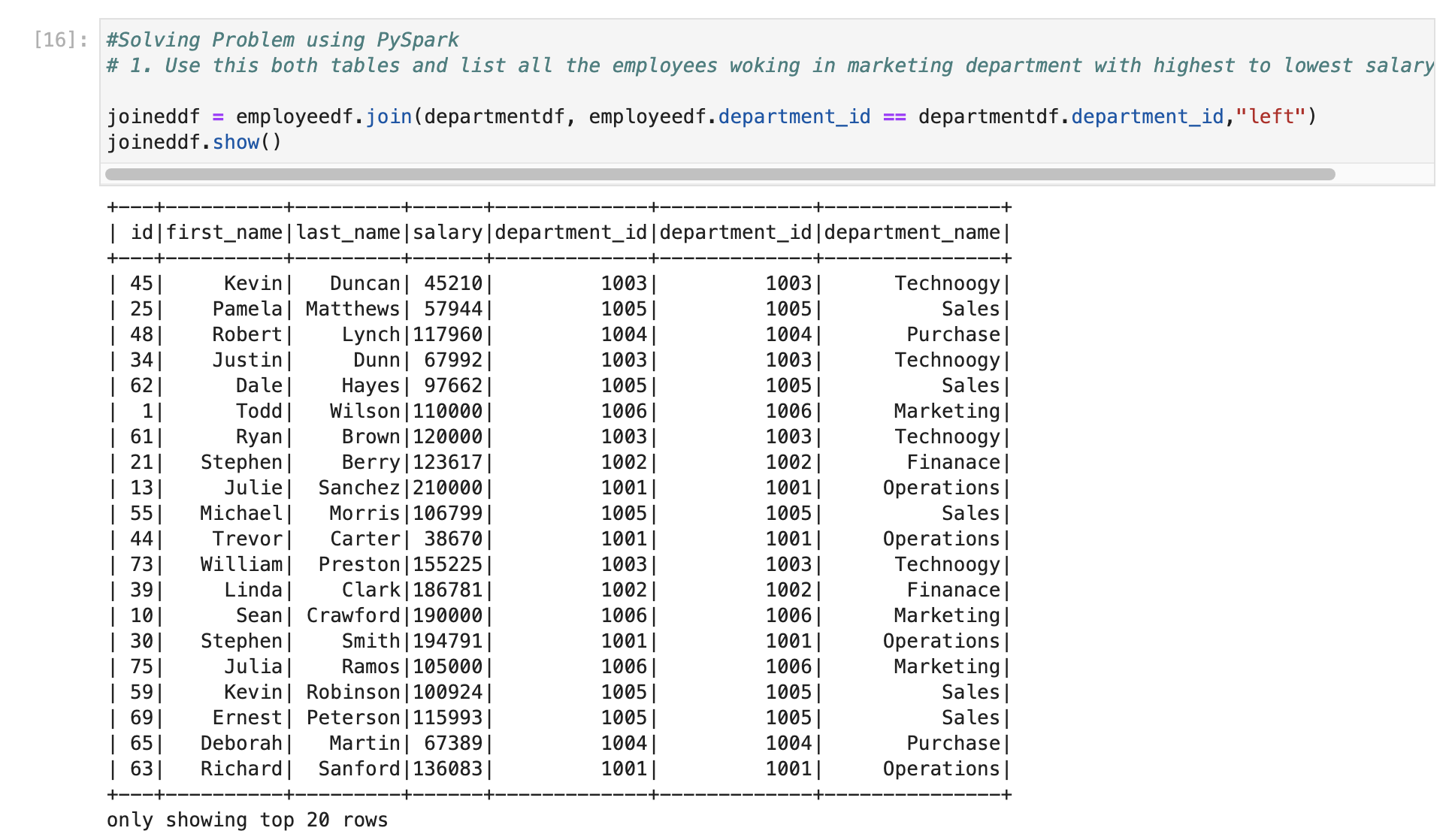
First, we will join two data frames using department_id as it is key column in both
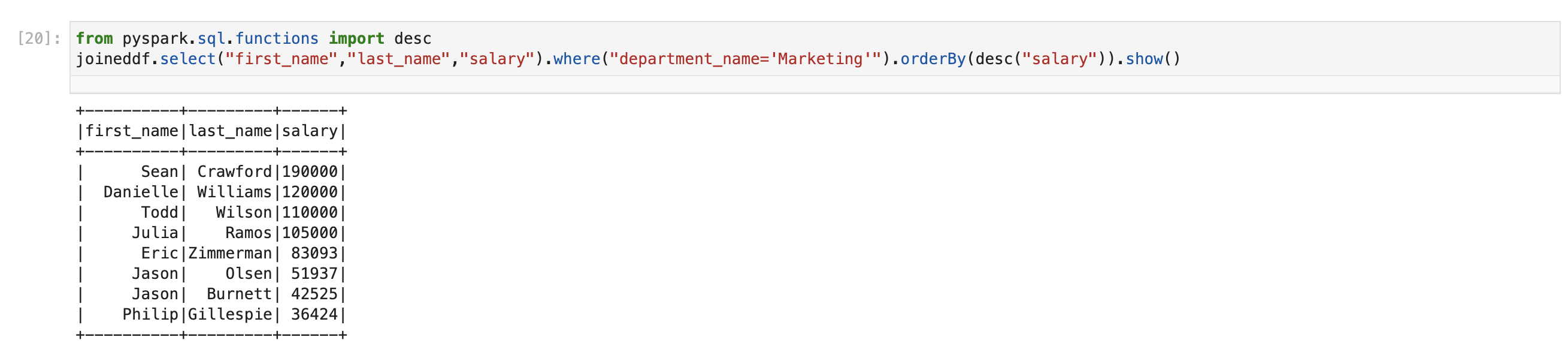
Second step is filtering this using “Marketing” and display salary in highest to lowest order
Solve using Spark SQL
Before using Spark SQL, we need to create a temp table (or HIVE table) from data frame.

Employee table

Department table

Now, we will use same query which we used in PostgreSQL with changing table names with temp table names in Spark

This is how we have solved this problem using PostgreSQL, Apache Spark function and Spark SQL.
We also learned below concepts
- Join function
- ORDER BY function and
- Filtering on data
Please find below video for understanding using Video. I have not explained the second part here for that use Github query or below video. Please comment if you have any query on this one.
In below video we are solving seocnd part of this problem.
 Developers' HOME
I thought the second problem involved grouping the counts of employees by dept in pyspark however i dont see that in the blog